Clean Punjab, Proud Punjab: the guide

For students

This guide describes how the programme runs. It begins with why the work matters and how our team works, then choosing our area, then the eight stages, one section for each. How to register on the portal and form our team are described at the end; use them when needed.

1Why and how we work

Why it matters

Our street can change

Scan to open the guide on your phone

Small, steady effort

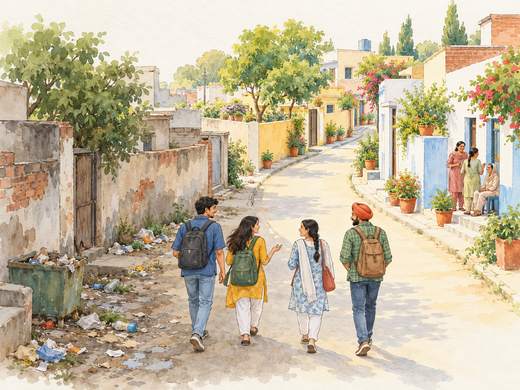
One stretch of street, cared for again and again, is how most clean streets begin. People elsewhere have started with one river, or one hundred metres, and kept working.

What our team is for

Our team works in one neighbourhood, of about 200 houses for each of us, so about 1,000 for a team of five; the portal shows our team's figure as we draw. We learn about it, one street at a time, listen to the people who live there and the staff who keep it clean, and work with both to change it. The area is left cleaner, with residents able to keep it that way.

Our eight stages

About a week each, with our supervisor

Scan to open the guide on your phone

The eight stages

  • Stage 1, Getting to Know the Area: observe our area as it is today.
  • Stage 2, Finding the Gaps: understand why it is that way.
  • Stage 3, Starting on Solutions: act on the gaps, with the people who keep the area clean.
  • Stage 4, the Progress Review: collect the evidence, present it, and plan ahead.
  • Stage 5, Household Awareness: help households manage waste at home.
  • Stage 6, Transforming Garbage Spots: clean and beautify chosen garbage spots with residents.
  • Stage 7, Recommendations and Teaching Residents: suggest improvements, and teach residents to file their own mSeva complaints.
  • Stage 8, the Final Review: summarise, present, and reflect.

Our supervisor

Our supervisor is the first person to go to for advice: when a plan is not making progress, when our team needs an introduction to the municipality or a partner, or when we are unsure what to do next. They follow our work through each stage on the portal.

A team of equals

The work belongs to the whole team, and every member does it, our leader included. Our team organises itself, finds its own partners, and uses its judgement when things do not happen as planned.

My page in three parts

  • Now: what our team has done so far, and what the stage asks for.
  • Our team: our area, our garbage spots and our team's Drive folder.
  • Earlier: the stages already done, with their reports and marks.

Before Stage 1 begins

Until our supervisor sets the day Stage 1 begins, I can still mark field attendance, log activities and add links. Marks are given from Stage 1 on.

If the dates change

Each stage starts by itself the day after the one before ends. Our supervisor may lengthen or shorten a stage, or move our team to the next stage early once our report is submitted. Whatever we logged stays in the stage it was logged in.

Going to our area

In each site stage, together, in daylight

Scan to open the guide on your phone

My location

Field attendance keeps where it was marked, and how accurate that was, so our supervisor can see where our team worked. If my phone finds no location, move to an open place and try again, or mark field attendance without one.

If it says I am outside the area

A location that is not exact can place me just outside. I may try again in an open place, or mark field attendance anyway; our supervisor sees it as outside the area.

Weather and injuries

Stop in severe weather. Tell our supervisor at once about any injury, or any place that feels unsafe.

Log what we do

Each activity, by what it was for

Scan to open the guide on your phone

What an activity can be for

  • Observe: walking and looking.
  • Collect inputs: asking residents and others what they see.
  • Clean and Beautify: clearing, painting, planting.
  • Educate: talking with households, shops and schools.
  • Monitor: checking back on a spot or a street.
  • Coordinate: working with officials, NGOs or companies.
  • Other: anything else, in a few words.

A picture, video or document about it

An activity may carry a link to a picture or video in Google Drive, or to a document such as a Google Sheet. It is optional.

Who did what

Every member can add to and change our team's updates. Who did what shows each addition and change, by whom and when, so our leader can see each member's part.

My garbage spot

One spot each, from Stage 1 to Stage 8

Scan to open the guide on your phone

Marking a spot

Choose Mark a garbage spot, tap the map where the spot is, inside our area or close to it, and say in a few words what it is, such as "Drain behind the bus stand".

Its mSeva complaints

On mSeva, a complaint is filed under Public Grievance, then Garbage. Save its complaint number and type as mSeva shows them, and update its state when mSeva shows a change.

Showing what happened

An update may carry a picture's link, or the complaint's new status. Before-and-after pictures from the same place show the change best.

When nothing happens

If a complaint gets no reply for a while, follow it up on mSeva and update its status on the portal, rather than filing it again. If it was closed while the problem remains, file a fresh one.

If it comes back

If the spot comes back after it was resolved, choose Back again on the garbage spot, and follow it up once more.

Why spots come back

  • No bin nearby.
  • Collection does not come regularly.
  • Habit: everyone dumps there.
  • The place looks uncared for.

Officials are partners

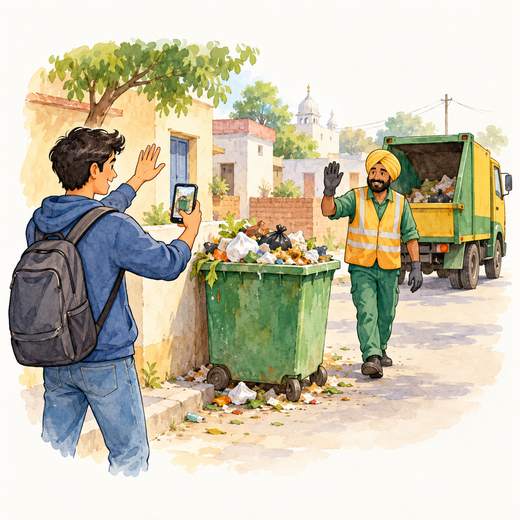
Sanitation workers and officials do hard work. Thank them when things get fixed; it makes the next request easier.

Spots not adopted

A spot nobody has adopted shows as Not adopted on the map and in the list. Our team may still work on it.

Share our work

Our pictures and videos, in every stage

Scan to open the guide on your phone

Courtesy and tone

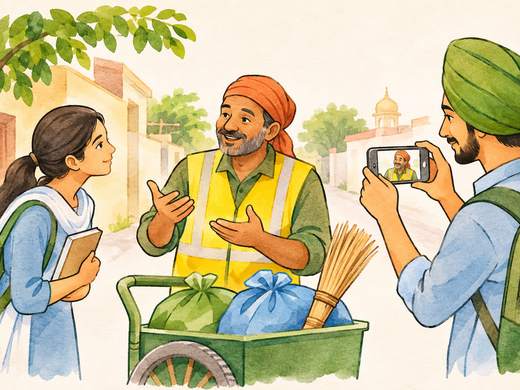
Ask before filming anyone, municipal staff included. Show the problem and our commitment to fix it, with respect for the municipality and every person, and avoid political or commercial activity.

Each stage's theme

  • Stage 1: getting to know our area, its garbage spots, and our first step.
  • Stage 2: talking with residents and staff, and finding solutions together.
  • Stage 3: my waste, my responsibility.
  • Stage 4: bringing together the pictures and videos from Stages 1 to 3.
  • Stage 5: from waste to worth.
  • Stage 6: from garbage spot to community pride.
  • Stage 7: smarter collection, active citizens.
  • Stage 8: the pictures and videos from Stages 5 to 7, and our area's before-and-after story.

What counts

Pictures and videos are judged on the work they show. Photos taken from exactly the same place, before and after, show the change best.

Documents too

The same form takes a document, such as our survey report in Google Slides, or our monitoring sheet in Google Sheets. Where the stage offers a template, we may make our own copy, share it with the team, and give our copy's link, never the template's. Choose A document, and say which one it is.

The portal checks each link

When I save, the portal checks that the file opens for anyone with the link, and says what it found. A private file is refused until I share it as "Anyone with the link" in Google Drive. If the portal cannot check it, I tick that it is shared that way.

My own work, or our team's

Each picture, video or document says whether it is my own work or a team effort, so our supervisor sees each member's part.

Our stage report and our marks

Six stage reports, and 100 marks in all

Scan to open the guide on your phone

Each of the six stages, out of 10

  • Our team's work, against what the stage expects: 4.
  • Its quality: 2, for careful work that made a visible change.
  • My field attendance: 1.
  • My garbage spot's update: 2 for a follow-up with evidence and some progress, 1 if there is no progress yet.
  • At least one activity or link logged under my own name: 1.

100 marks in all

The six stages give 60 marks and the two reviews 40, 20 each. Our team's parts add up to 60, and each member's own parts to 40. My page shows the total out of 100, and out of 20.

Who gives the marks

The portal counts field attendance and logging itself. For every other part, our supervisor chooses a level, and gives a short reason for any change.

The stages' documents

  • Stage 1: the survey report.
  • Stage 2: the gap summary.
  • Stages 3 to 8: the monitoring sheet, updated every stage.
  • Stage 6: the feedback record.
  • Stage 7: the recommendations.

A late report

A report submitted after the stage has ended is still accepted, and marked as late for our supervisor.

Adding after the report is submitted

We can still add updates after the report is submitted; they show as added late.

2Choosing our area

Choose our area

Walk the streets, agree, and draw it

Scan to open the guide on your phone

What to check on the walk

  • That it is about 1,000 houses, by our own estimate.
  • That every member can get there easily.
  • That there is work worth doing: garbage spots, and households to talk with.
  • That it feels safe to walk in daylight.
  • The careful survey comes later, in Stage 1.

Why about 1,000 houses

Stage 1 asks us to talk with about 100 households, Stage 5 divides the households among us, and Stage 7 holds small meetings across the area. An area of about this size keeps each of these manageable.

Drawing the area

The leader marks the streets on the map, and names the mohalla and a few landmarks. The outline cannot overlap another team's area, waiting or approved, and cannot cross itself; touching along a street is allowed.

Once our area is approved

Our team is finalised

Scan to open the guide on your phone

If our area is sent back

Our supervisor's reason shows on My page, in their own words. It helps to discuss it as a team, and to walk the streets again; our leader may then press Revise our area, change what is needed, and send it again.

If an approved area is withdrawn

Our supervisor may withdraw an approved area, for example when a team has to move, and says why. Our leader may revise it or choose a new one, and our team stays finalised.

Living in the area

Ticking I live in this area saves at once, and our team sees my name under Living in the area. It helps our team know who is close by.

3Making our area shine

Stage 1, Getting to Know the Area

Observe our area as it is today

Scan to open the guide on your phone

Questions to start a conversation

  • Does the waste vehicle come regularly?
  • Do you keep wet and dry waste apart?
  • Where do people dump waste, and why there?
  • What stops people keeping the street clean?
  • Would you join a clean-up?

Listen, and note

Note what people say in their own words. Record the house number only, and keep names and phone numbers private.

Look at each street

Look once at each street: how and when waste is collected, how it is swept, and where garbage is dumped or burnt.

The survey report

One slide for each part of our area, or for each issue, with pictures and a few observations, and fuller notes in the speaker notes. In Stage 6, we return to the same households to hear what has changed.

What to share

Short videos and pictures, planned together, introducing our area, its garbage spots and its challenges, as the start of our commitment to improve them.

What good work looks like

  • Every street has been covered.
  • The report gives an honest description of our area, with pictures.
  • Each of us has a garbage spot on the map, with an mSeva complaint filed.
  • Our pictures and videos show the stage's work clearly and constructively.

Stage 2, Finding the Gaps

Find out why our area is the way it is

Scan to open the guide on your phone

Listening well

Be polite, listen first, and thank people for what they already do. Record an interview only with the person's consent.

When someone says it is not their job

Agree first that the municipality has a role, then ask what one small thing would help this street. Arguments rarely change habits; a small, clear request is easy to accept.

Gaps often found

  • Collection times that do not suit residents.
  • Too few staff, or missing equipment.
  • Old habits, such as dumping in one place.

What to share

Longer videos of the conversations and interviews, showing respectful dialogue, shared responsibility and the practical solutions discussed, and pictures of the garbage spots as they are now.

What good work looks like

  • Residents, shopkeepers and collection staff have all been heard.
  • Each gap in the summary is supported by evidence.
  • The chosen gaps are ones our team can realistically act on.
  • The videos treat every person fairly.

Stage 3, Starting on Solutions

Act on the gaps, with the people who keep our area clean

Scan to open the guide on your phone

Clean up, safely

  • If our institution provides gloves and tongs, we may pick up small litter and put it in a municipal bin.
  • Never handle biomedical waste, dead animals, broken glass, sharp objects, chemicals, drains or sewage: report them.
  • Wear closed shoes, carry water, and wash hands afterwards.

Large heaps

Large heaps, and construction debris, are for the municipality to clear. Our part is to report them, and to follow them up until they are gone.

Four kinds of waste

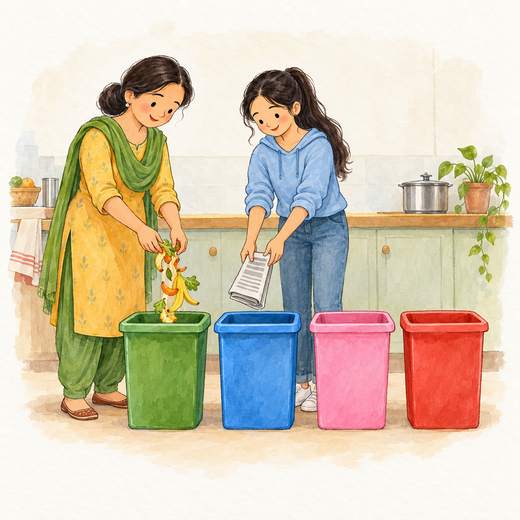
The Solid Waste Management Rules, 2026 ask every home to keep four kinds apart: wet, dry, sanitary, and special care. Sorted waste can be composted or recycled; mixed waste just becomes a heap.

What goes where

  • Wet: peels, leftover food, tea leaves, flowers.
  • Dry: paper, plastic, glass, metal, cartons; kept clean and dry.
  • Sanitary: diapers, pads, bandages; wrapped, and kept apart.
  • Special care, the household hazardous kind: kept in a bag of its own and handed over separately, never burnt or mixed in.

If the campaign included my spot

I record how my garbage spot looked before and after, in its update for the stage.

What to share

Short videos on a clean neighbourhood: sorting at source, no littering, clean drains, respect for sanitation workers, and reporting through mSeva; and a longer video teaching how to sort waste.

What good work looks like

  • The campaign included staff and residents, working with our team.
  • Residents were shown how to sort waste by doing it.
  • Every garbage spot is on the monitoring sheet, with a first picture.
  • Our pictures and videos carry a clear, positive message.

Stage 4, the Progress Review

Collect the evidence of Stages 1 to 3, present it, and plan ahead

Scan to open the guide on your phone

The presentation

A Google Slides link that anyone with the link can open, with pictures or records behind every point. Our supervisor also sees our team's three pages with it.

The plan ahead

It builds on the gaps we found, and says who does what in Stages 5 to 7.

How the Progress Review is marked, out of 20

  • Our presentation, clear and within time: 3.
  • The quality of our work in Stages 1 to 3: 4.
  • Our pictures and videos from Stages 1 to 3: 3.
  • Our plan for Stages 5 to 7: 2.
  • My garbage spot: 4 when its complaint was followed up every stage and the municipality has taken some action, 3 when there is no progress yet.
  • My field attendance and contribution in Stages 1 to 3: 3.
  • My part in the presentation: 1.

Time to act on it

Our supervisor's feedback here comes while there is still time to act on it, in Stages 5 to 7. My garbage spot's follow-up continues through this stage too.

Stage 5, Household Awareness

Help households manage waste at home

Scan to open the guide on your phone

Wet waste at home

Kitchen waste composted at home turns into rich soil. A cloth bag, refusing plastic nobody needs, and wasting less food all help.

What happens after collection

A video of where our area's waste goes after it is collected: filmed where we are allowed in, or explained with slides or animation.

What to share

Short videos on wet waste at home and on the neighbourhood campaign, the after-collection video, and before-and-after pictures of the garbage spots.

What good work looks like

  • Households were visited in person.
  • The campaign included residents and local stakeholders.
  • The monitoring review is honest about what is working and what is not.
  • The after-collection video explains clearly what happens to waste after collection.

Stage 6, Transforming Garbage Spots

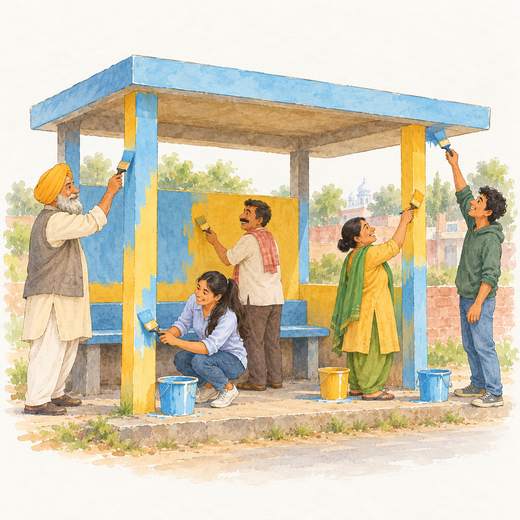
Clean and beautify chosen garbage spots, with residents

Scan to open the guide on your phone

Safety first

The safety rules of Stage 3 apply here too: gloves and tongs only for small litter, closed shoes, and never handling biomedical waste, broken glass, sharp objects, chemicals, drains or sewage.

Who can help

  • Residents' welfare associations and councillors.
  • Shopkeepers and market associations.
  • Youth clubs and women's groups.
  • Schools, self-help groups and NGOs.

What has worked elsewhere

In one street, the city cleared the dump, the residents agreed on a waste cart, and the spot became a place for children to play. In another, twenty people cleared, planted and painted a spot in ninety minutes, and door-to-door collection then kept it clean.

Back to the Stage 1 households

Ask what has changed in their habits and their street, and add it to our survey report for the Final Review.

What to share

Short videos and pictures of each spot before and after, and residents' own words about the spots and their part in keeping them clean.

What good work looks like

  • Each transformed spot is clearly better, with before-and-after pictures.
  • Residents took part, and have a reason to keep it clean.
  • The feedback gives an honest account of what changed.
  • Our pictures and videos show the transformation clearly.

Stage 7, Recommendations and Teaching Residents

Suggest improvements, and teach residents to file their own mSeva complaints

Scan to open the guide on your phone

Showing mSeva

Show the steps on a phone: Public Grievance, then Garbage, then the complaint type that fits, and how to check its status later.

After the programme

A residents' WhatsApp group, with a few volunteers, helps the work continue after our team finishes.

What to share

Images of better collection vehicles, which may be made with AI; a longer video on a more efficient collection process; a short video showing how to file an mSeva complaint; and selfies at the transformed spots.

What good work looks like

  • Residents in different parts of our area can now file a complaint themselves.
  • The recommendations are practical, and based on conditions in our area.
  • Our pictures and videos show what changed, and residents are invited to keep it that way.

Stage 8, the Final Review

Summarise, present the whole programme, and reflect

Scan to open the guide on your phone

The first walk, again

We may walk the Stage 1 streets again, and log it with the purpose Observe. Compared with each other, the two walks show what changed, and what still needs work.

How the Final Review is marked, out of 20

  • Our presentation, from Stage 1 to the end, with before-and-after evidence: 3.
  • The quality of our work in Stages 5 to 7, with every task complete: 3.
  • Our pictures and videos across the programme: 3.
  • The visible change in our area since Stage 1, with credit for our effort where the municipality has not acted yet: 3.
  • My garbage spot: 4 when it is resolved or clearly improved, with before-and-after evidence, 3 when followed up at every stage but not resolved.
  • My field attendance and contribution in Stages 5 to 7: 3.
  • My part in the presentation: 1.

My garbage spot to the end

My garbage spot's follow-up continues through this stage, and its summary shows how it was at the start and how it is now.

AJoining the portal

Registering

Joining the portal, and signing in later

Scan to open the guide on your phone

My email-id

It is optional.

If the portal does not match my details

If the portal does not find my roll number, I see a page with what I sent. My institution checks it and adds me, and I am connected the next time I sign in, so I come back and check every day. If I made a mistake in my roll number, or chose another institution by mistake, that page lets me correct it.

If I chose a role by mistake

On the waiting page, I am not a student first asks me to confirm, and says what ends. Then I choose my role again, at the same institution; my account, number and password stay.

No supervisor yet

If My page says no supervisor has me on their list yet, I can ask my institution's nodal officer.

One number, one person

If the portal says my number is already registered, sign in instead. If somebody else has registered with it, use another number that has WhatsApp; I can replace it later.

Signing in later

Use my mobile number and my password. On a shared computer, tell the portal so, and it signs me out when the browser closes. Forgot password sends a code by SMS, twice in 30 days; after that, my supervisor can reset my password.

If things do not go as expected

  • The code does not come: check the number, wait two minutes, and ask again.
  • My institution or course is wrong: tap the pencil beside it, and correct it.
  • Someone has registered with my roll number: press This is my roll number, and my supervisor checks it.

A new mobile number

Open Settings, at the top of any page, and choose Replace mobile number. Type my current password, then the code sent to the new number.

Where to begin

My page, the noticeboard and our WhatsApp group

Scan to open the guide on your phone

A plan from our supervisor

Our supervisor may put up a plan for forming teams on the Noticeboard, with the date by which teams should be complete. New notices are marked for me when I sign in.

What a notification tells me

A move to another team, an answer to a correction I asked for, or an invitation that ended: each reaches me as a notification, so I never have to look for it.

No WhatsApp link yet

The link appears on My page once our supervisor shares one. Until then, I may ask our supervisor in class.

BForming our team

Create a team

When we already know each other

Scan to open the guide on your phone

Our team leader

Whoever creates the team is its first leader, and can give the role to any member. The leader later draws our team's area.

Whom we can invite

The portal lists the students who share our supervisor, and shows whether each has registered or is already in a team. We can invite anyone still without one.

A classmate on another supervisor's list

We can invite only students who share our supervisor. For a classmate on another list, tell our supervisor, who can speak with that supervisor and arrange the move; then we can invite them.

Join a team

When I do not know whom to form a team with

Scan to open the guide on your phone

The two lists update themselves

Once I join a team, my name is removed from Students looking for a team; once a team is full, it is removed from Teams that have room. My roll number is never shown on either.

Changing teams

If I accept another team's invitation, I move to that team. Leave this team on My page removes me from a team; if I am the last one left, I can close it.

An invitation that ends

An invitation ends if it is not answered in time, and the place is free again. A team may invite me once more.

Until the teams are frozen

The deadline, our team's preferences, and freezing

Scan to open the guide on your phone

What to say in our preferences

Who lives near whom, who may find it hard to join, or anything else our supervisor should know when settling the teams. It helps to write it before the deadline. Everyday messages are better in the WhatsApp group.

After the teams are frozen

Our team stays as it is. I can still correct my own details, and a notification tells me of any change our supervisor makes that affects me.

No team when the teams are frozen

Speak to our supervisor, who can still place me in a team.