Home Create a team
Create a team
Tap the highlighted part of the screen.
Creating a team
Best seen on a phoneA few students create a team, and lead it. The leader invites students who are not in a team yet, especially those on Students looking for a team. You can invite someone at once, or talk to them first, then invite. Here, Student Balwinder creates team Ravi and invites Student Harleen, and Student Jaspreet, who leads team Beas, finds a teammate on the list.
My page
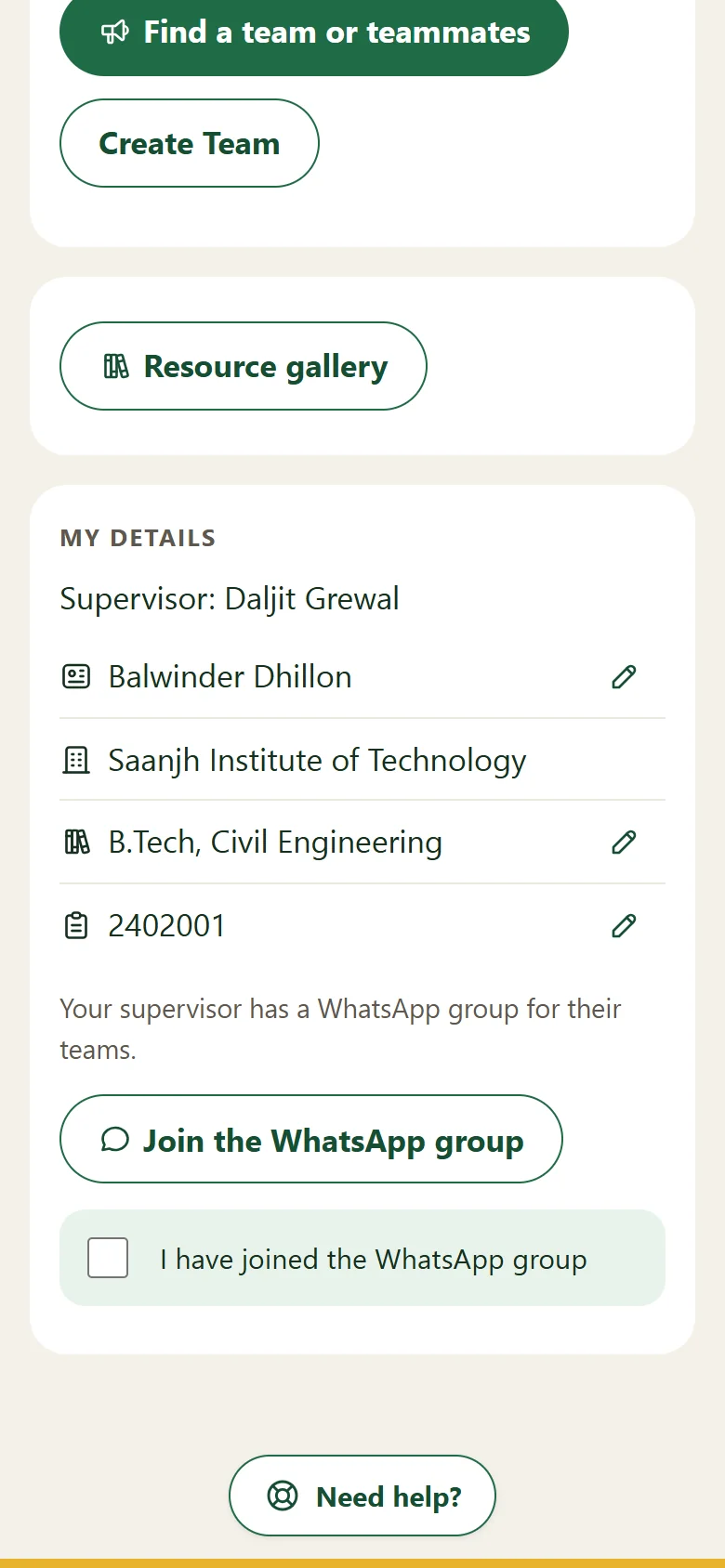
Balwinder is not in a team yet, and decides to create one.
Tap Create Team.
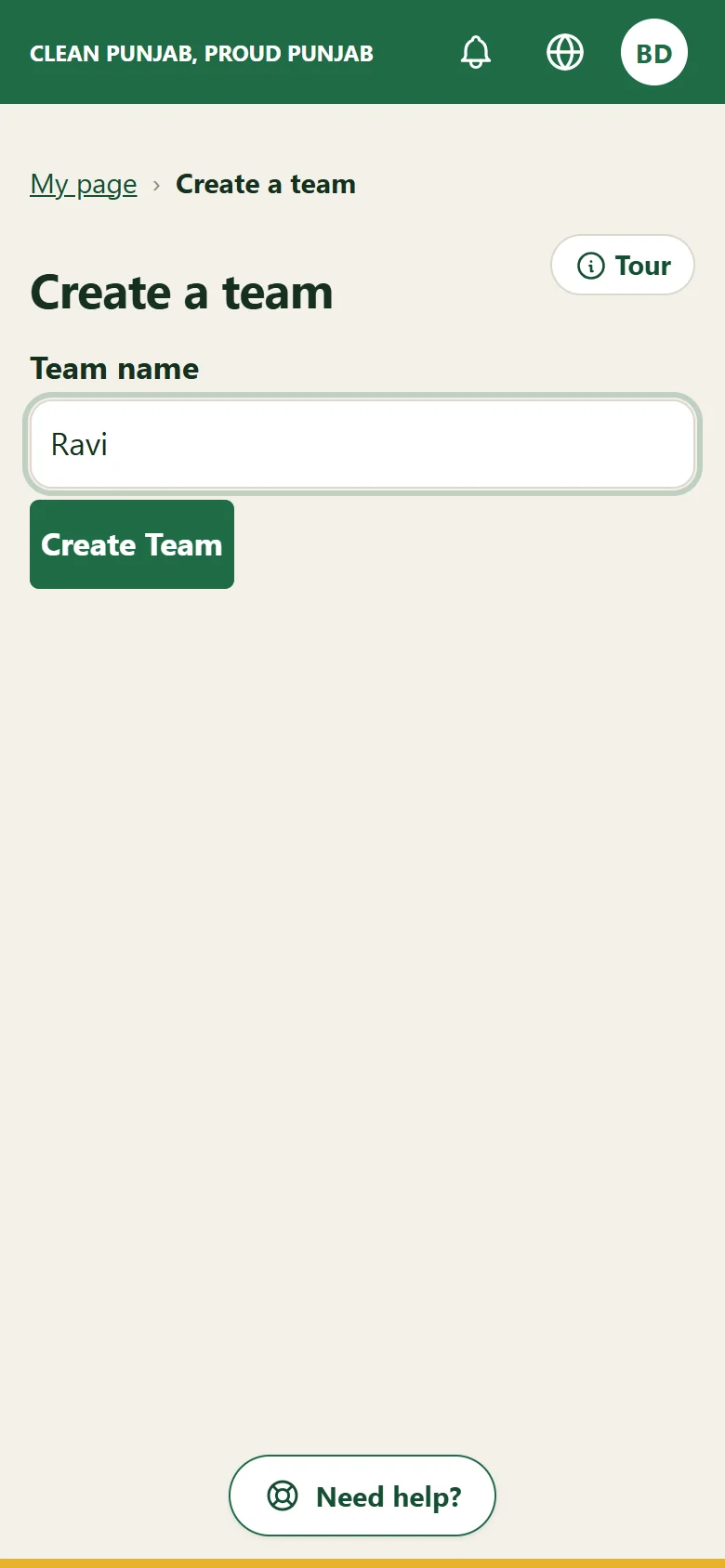
Name the team
Balwinder names the team Ravi.
Tap Create Team.
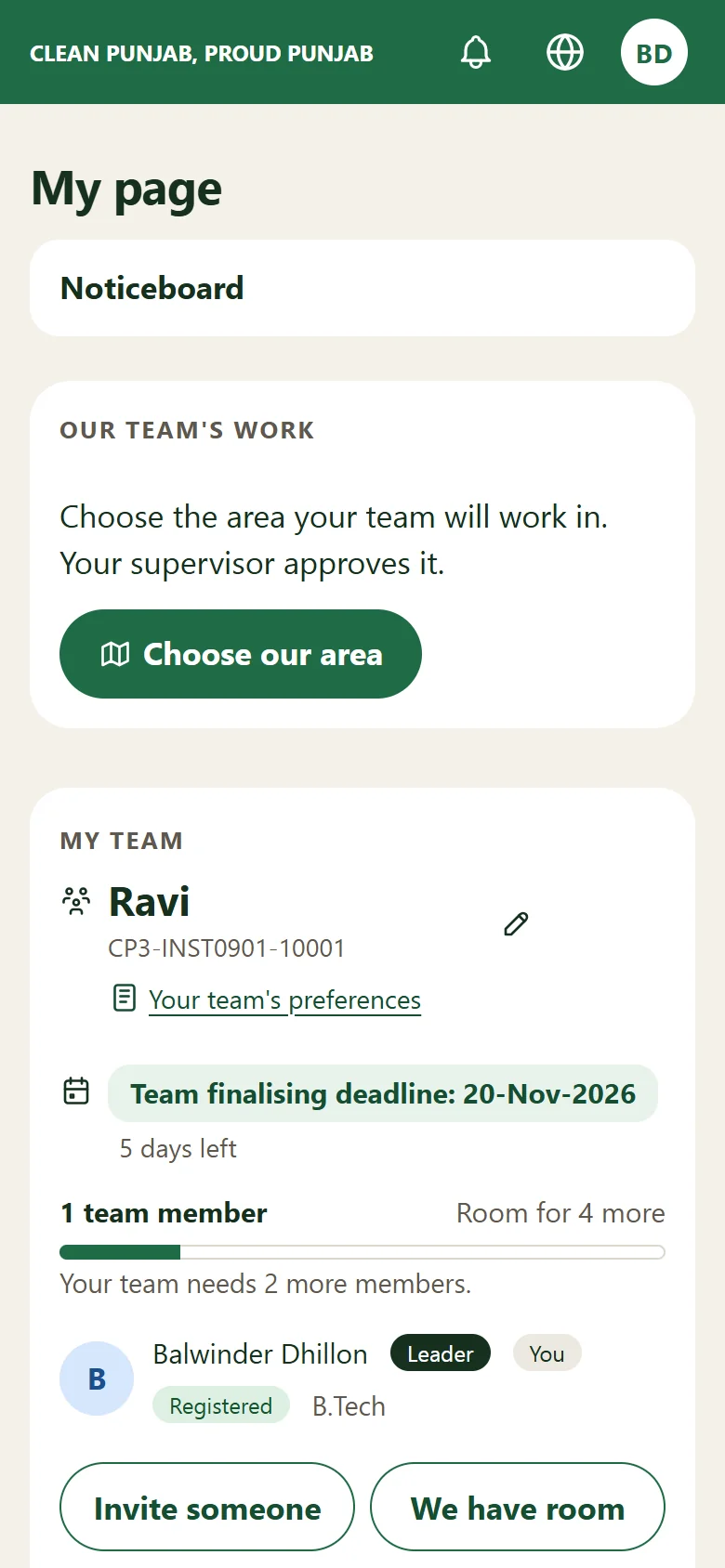
The team is made
The team is made, and Balwinder is its leader.
Tap Invite someone.
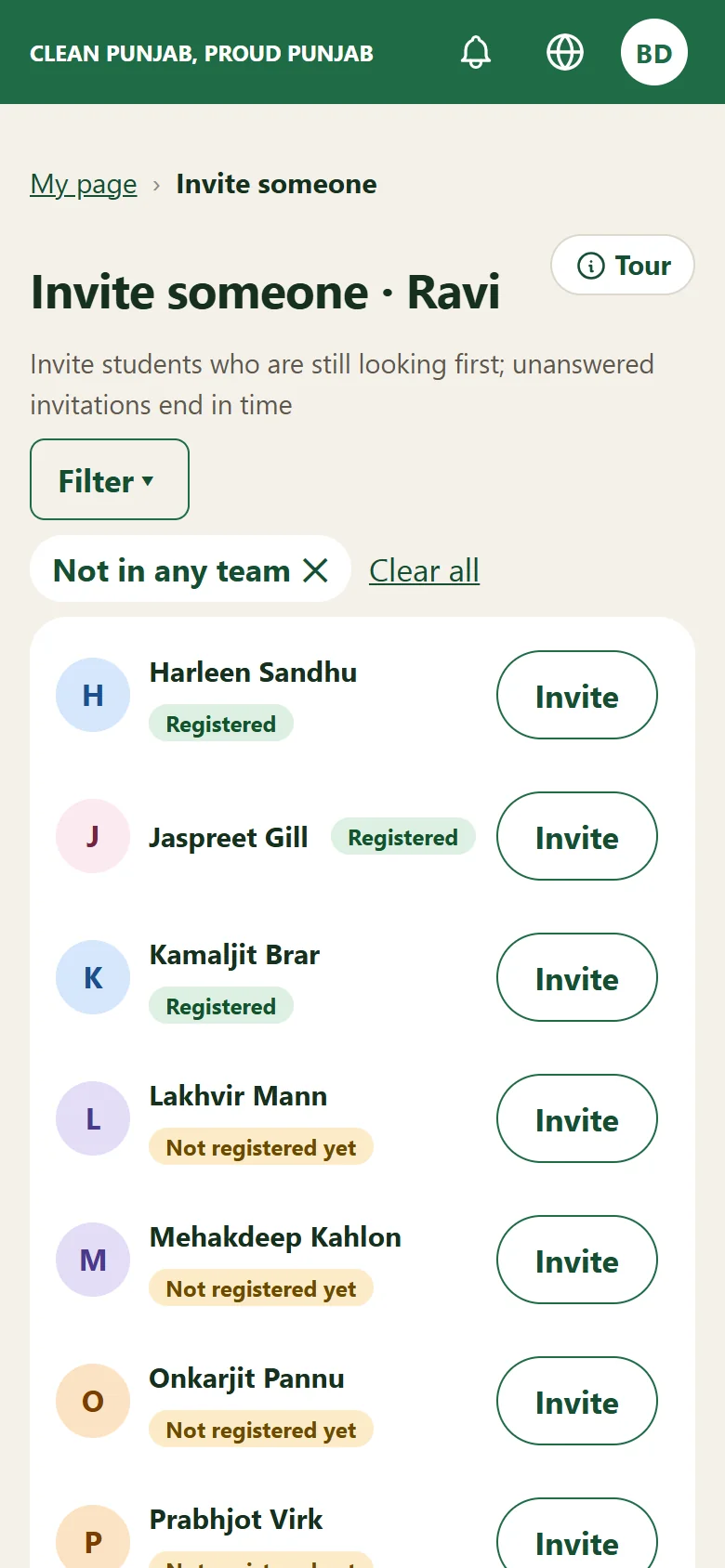
Choose who to invite
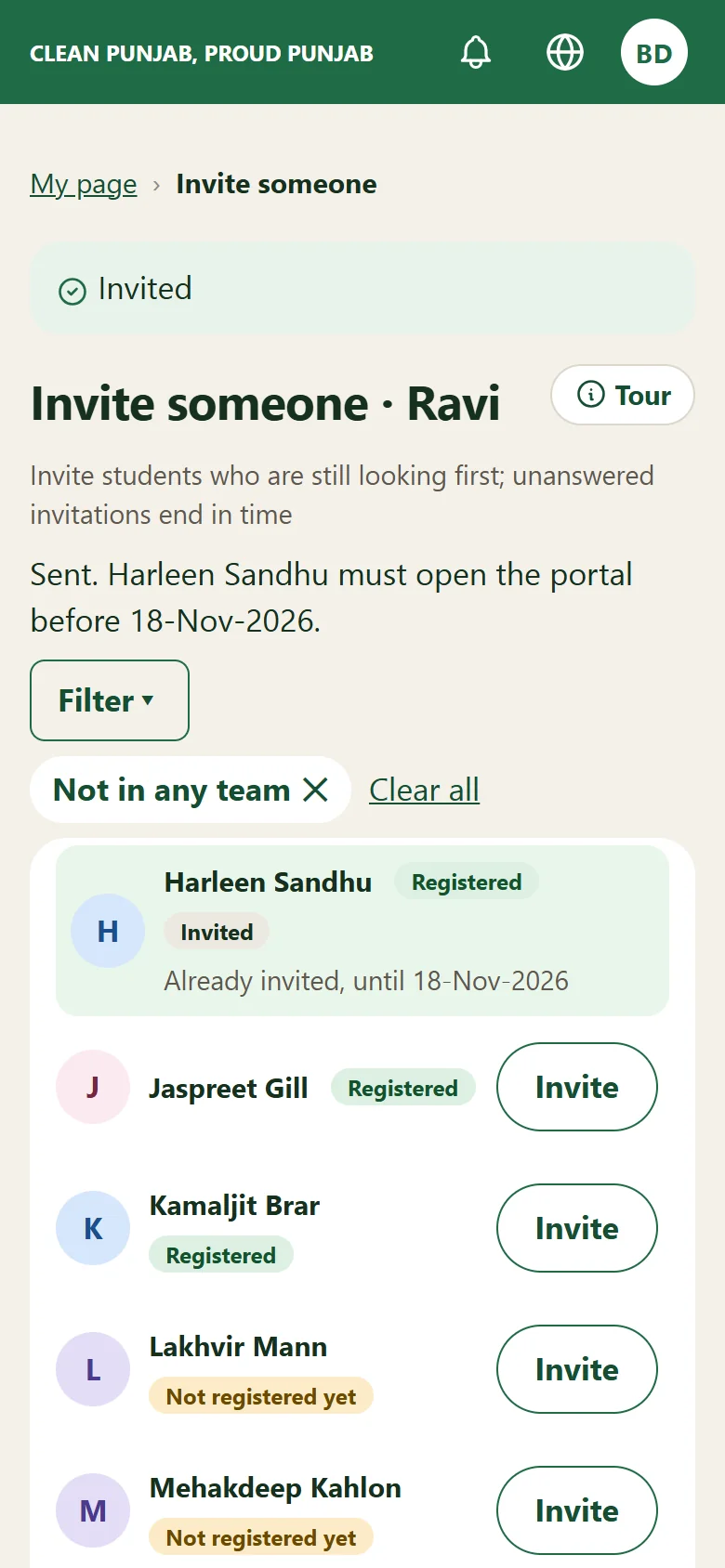
The list shows Supervisor Daljit's students who are not in a team yet. The portal suggests inviting those still looking first, and Filter can show just them. Balwinder knows Harleen, so invites Harleen at once.
Tap Invite under Harleen's name.
Invited
Harleen has until the date shown to reply.
Harleen's turn
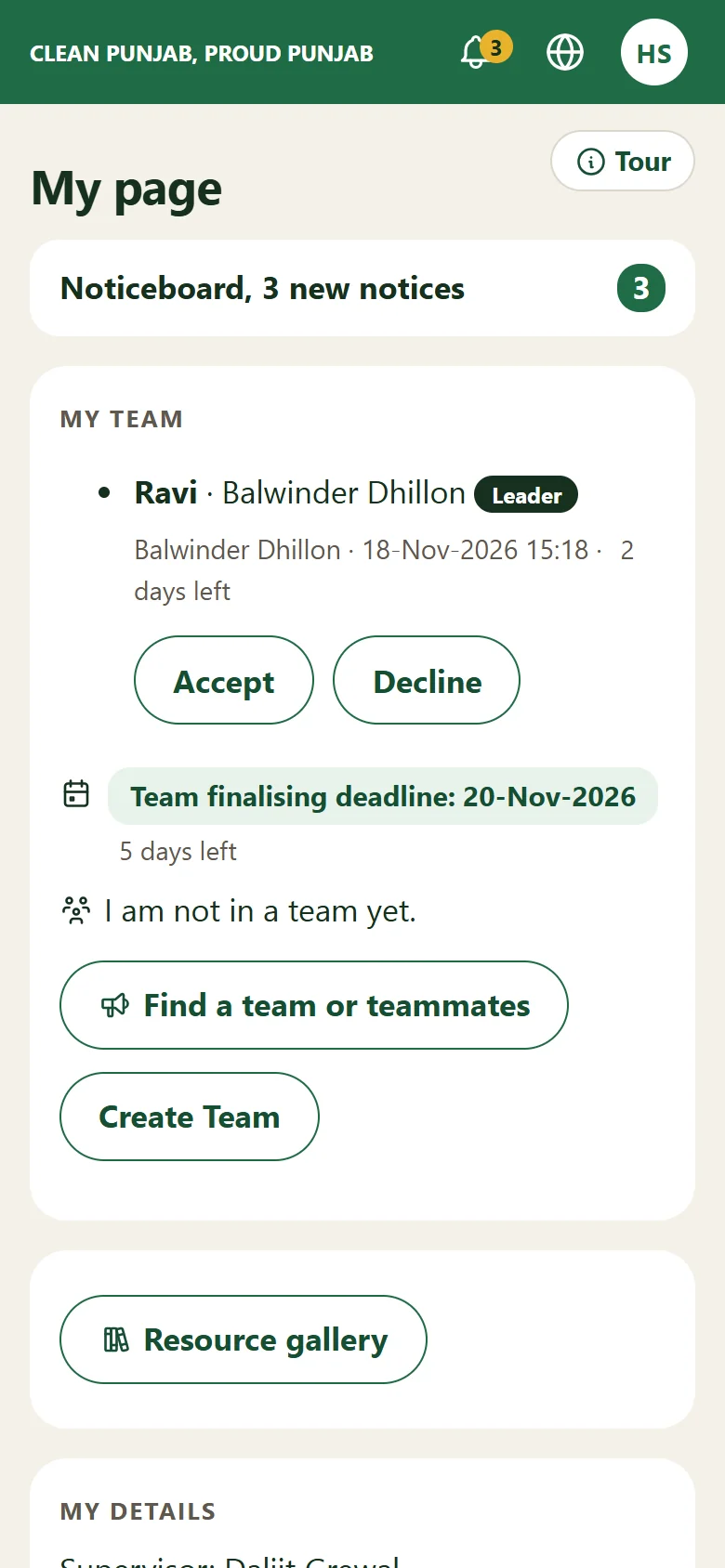
An invitation
Harleen's My page shows the invitation to team Ravi, from its leader, Balwinder.
Tap Accept.
Two in the team
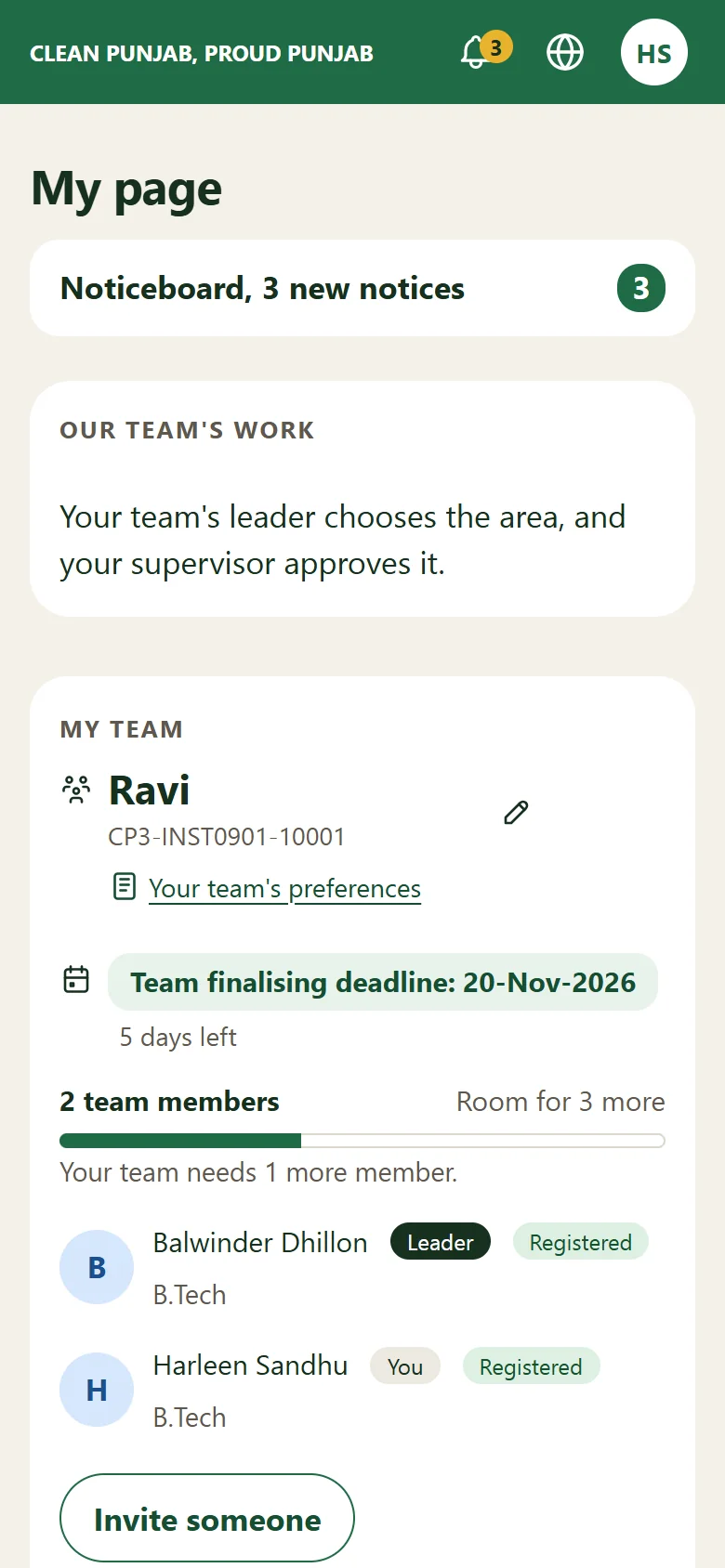
Harleen has joined the team. My page says Ravi still needs more members.
Another leader
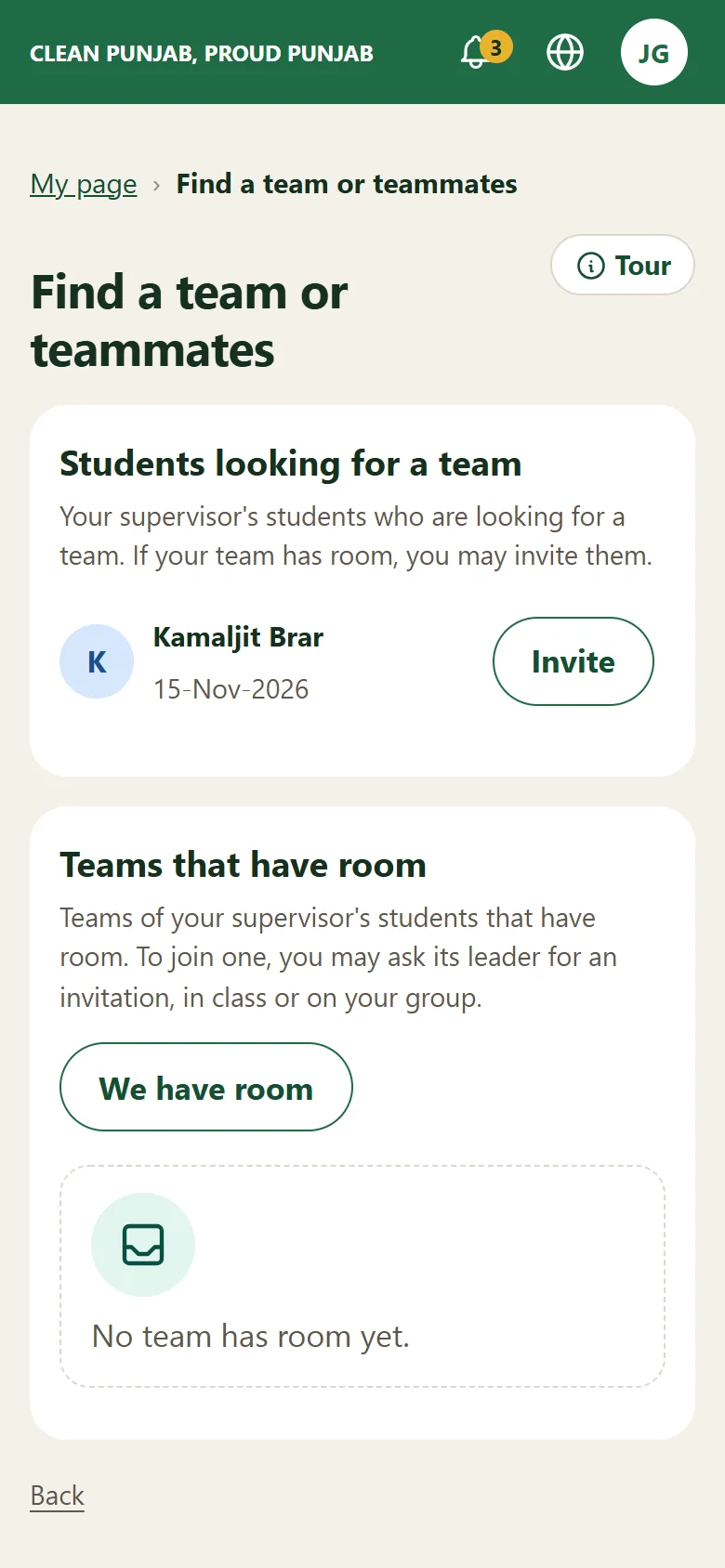
Someone is looking
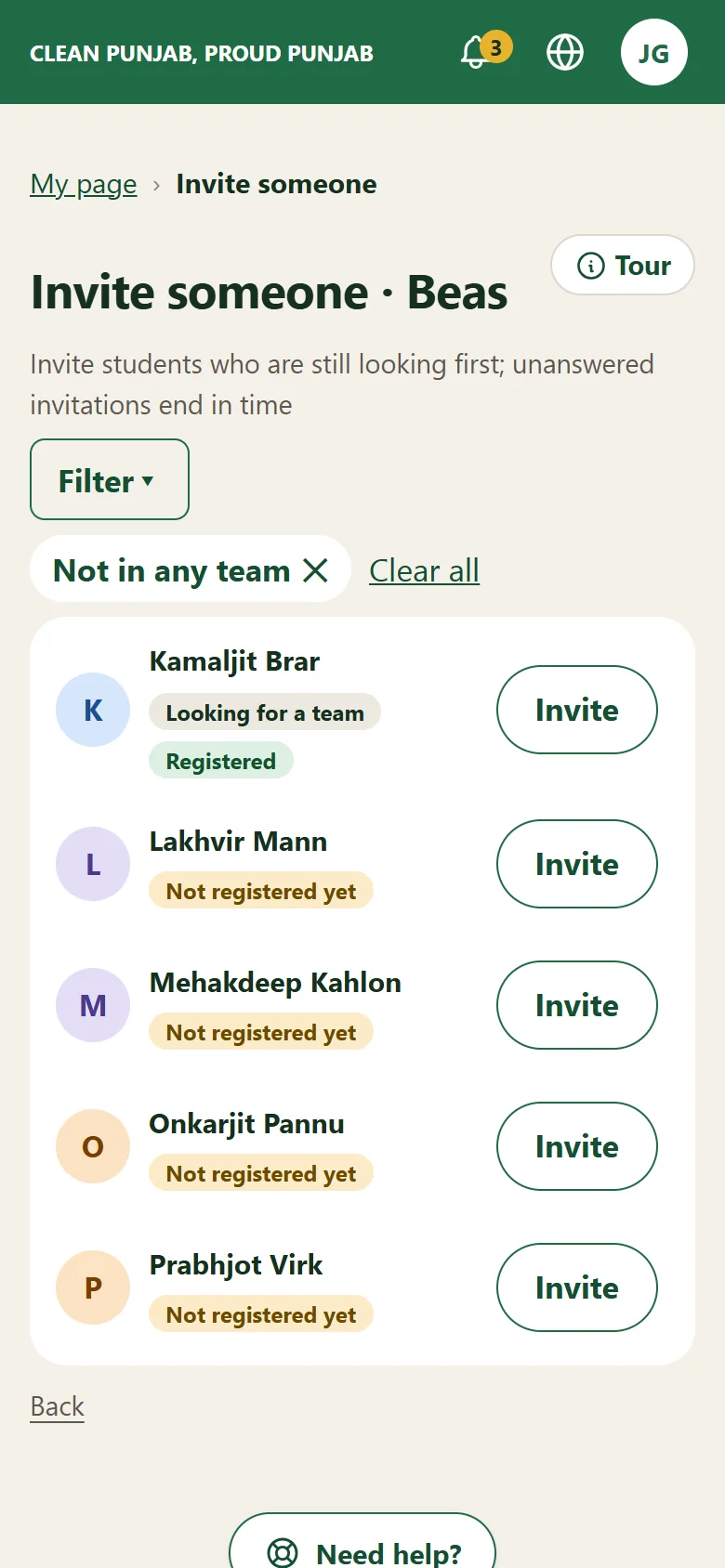
On Students looking for a team, Jaspreet sees that Kamaljit is looking for a team, and decides to invite Kamaljit.
Invite Kamaljit
On Invite someone, Kamaljit is at the top, marked as looking for a team.
Tap Invite under Kamaljit's name.
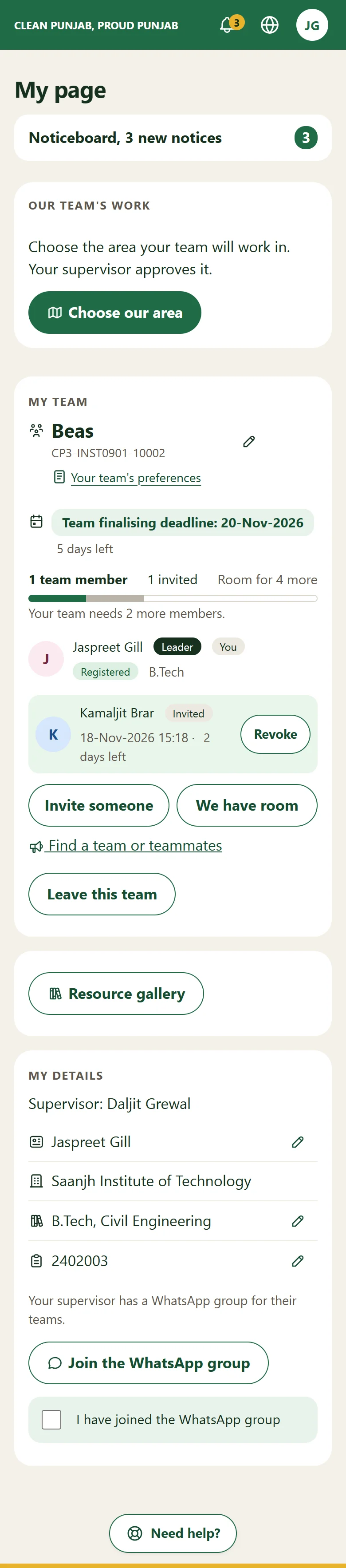
Still room
Beas still needs more members, so Jaspreet posts that the team has room. Students without a team then see Beas on Teams that have room.
Tap We have room.
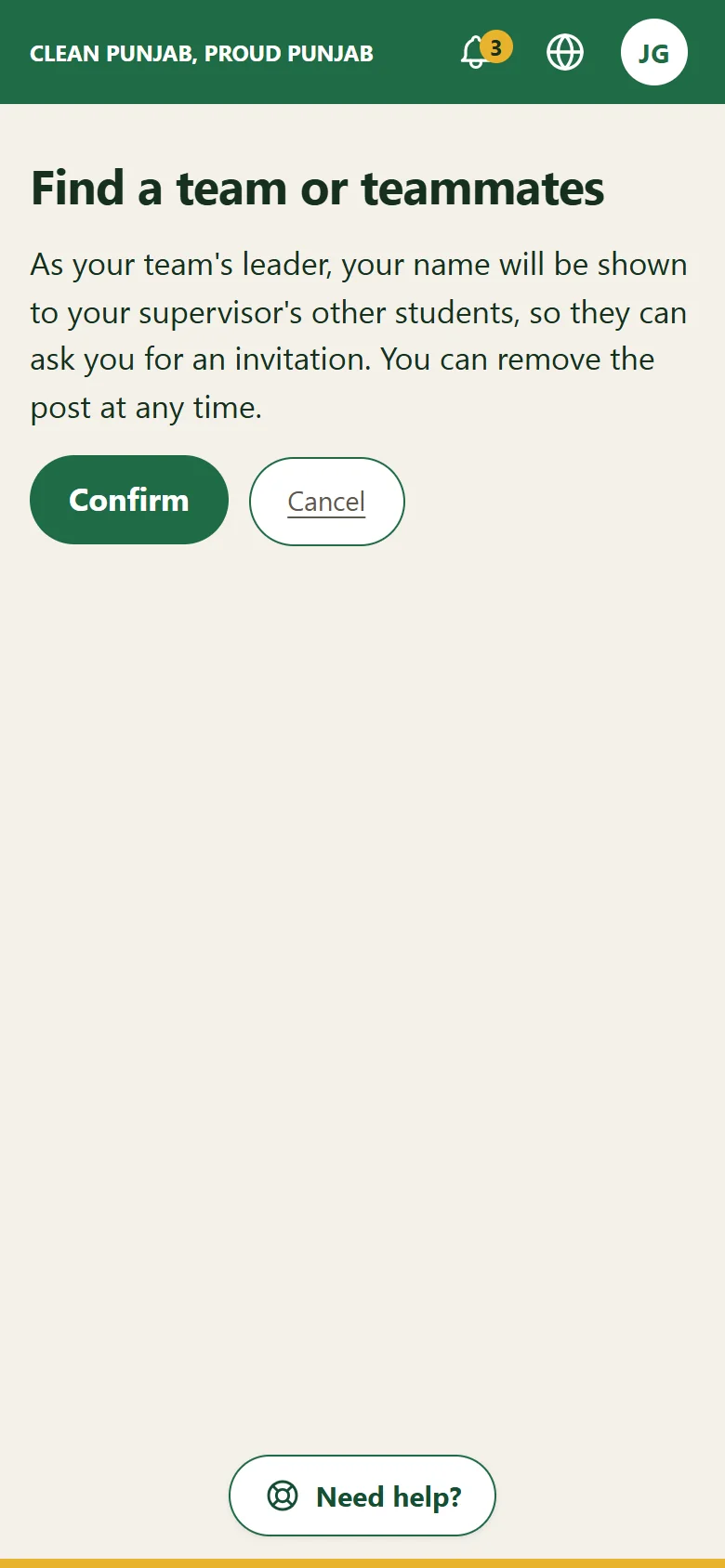
Who will see your name
Jaspreet leads the team, so Jaspreet's name will be shown to the supervisor's other students.
Tap Confirm.
The size of a team
The programme sets a guideline for the size of a team. Until your team reaches it, My page says it needs more members, and Teams that have room shows the places left. Your supervisor helps settle any team that ends up too small or too large. Would you like a classmate from another supervisor's list? You can ask your supervisor, who can agree a transfer with the other supervisor.
In this topic (scroll down for more topics)
- 1Creating a team
- 2My page
- 3Name the team
- 4The team is made
- 5Choose who to invite
- 6Invited
- 7Harleen's turn
- 8An invitation
- 9Two in the team
- 10Another leader
- 11Someone is looking
- 12Invite Kamaljit
- 13Still room
- 14Who will see your name
- 15The size of a team
: topics
Back to the portal Back to the guide Home: choose another section
Link copied. Paste it into a message.