Home The two reviews
The two reviews
Tap the highlighted part of the screen.
The two reviews
Best seen on a laptopAt Stage 4 and Stage 8, each team presents to you. You then mark the presentation, the work, its pictures and videos, and each student's part. Here, Daljit marks Satluj's Progress Review.
Waiting for marks
Needs attention lists the reports waiting for marks.
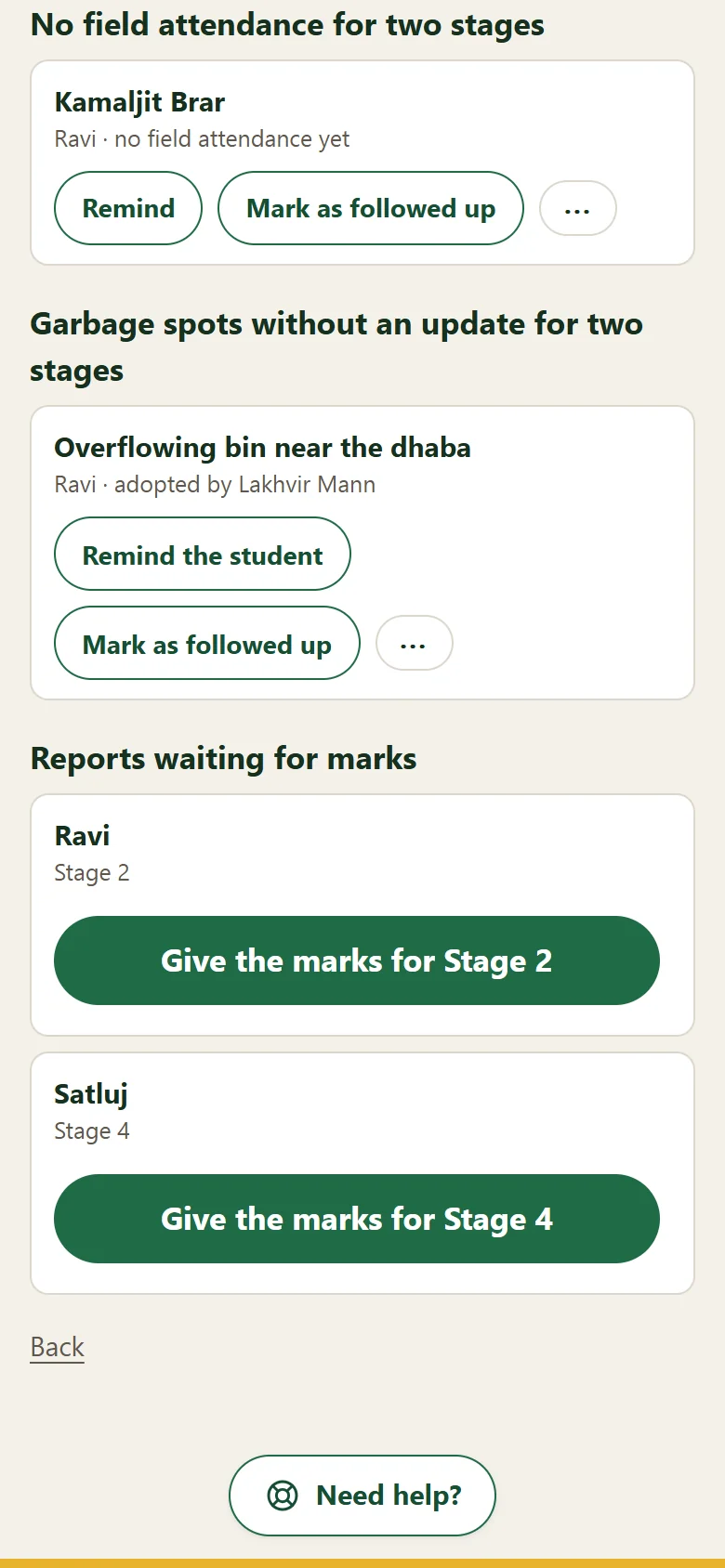
Tap Give the marks for Stage 4.
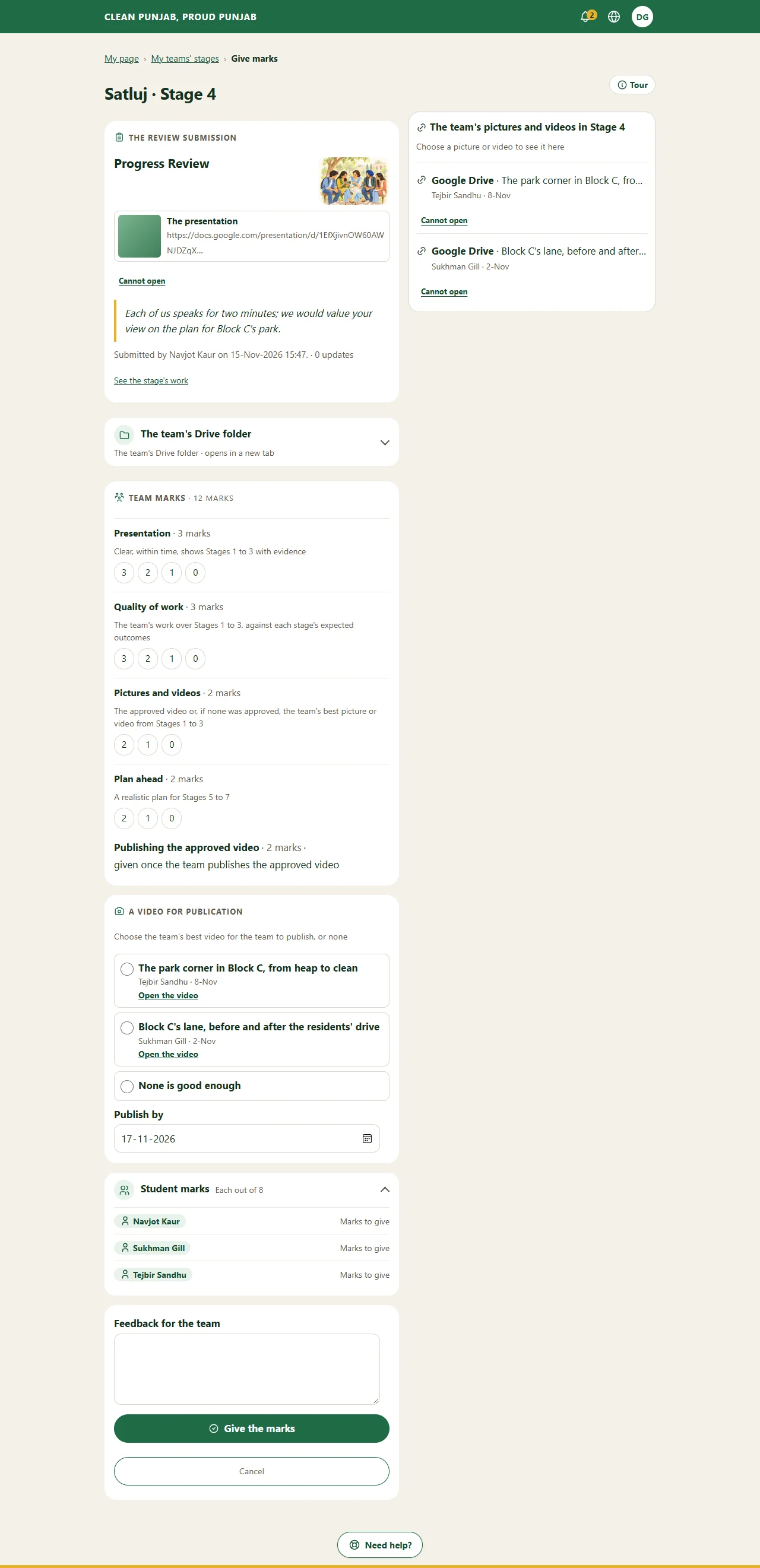
The Review Submission
The presentation and the team's note come first, and the team's Drive folder opens with one tap. Where a team has pictures and videos, they show beside the marks.
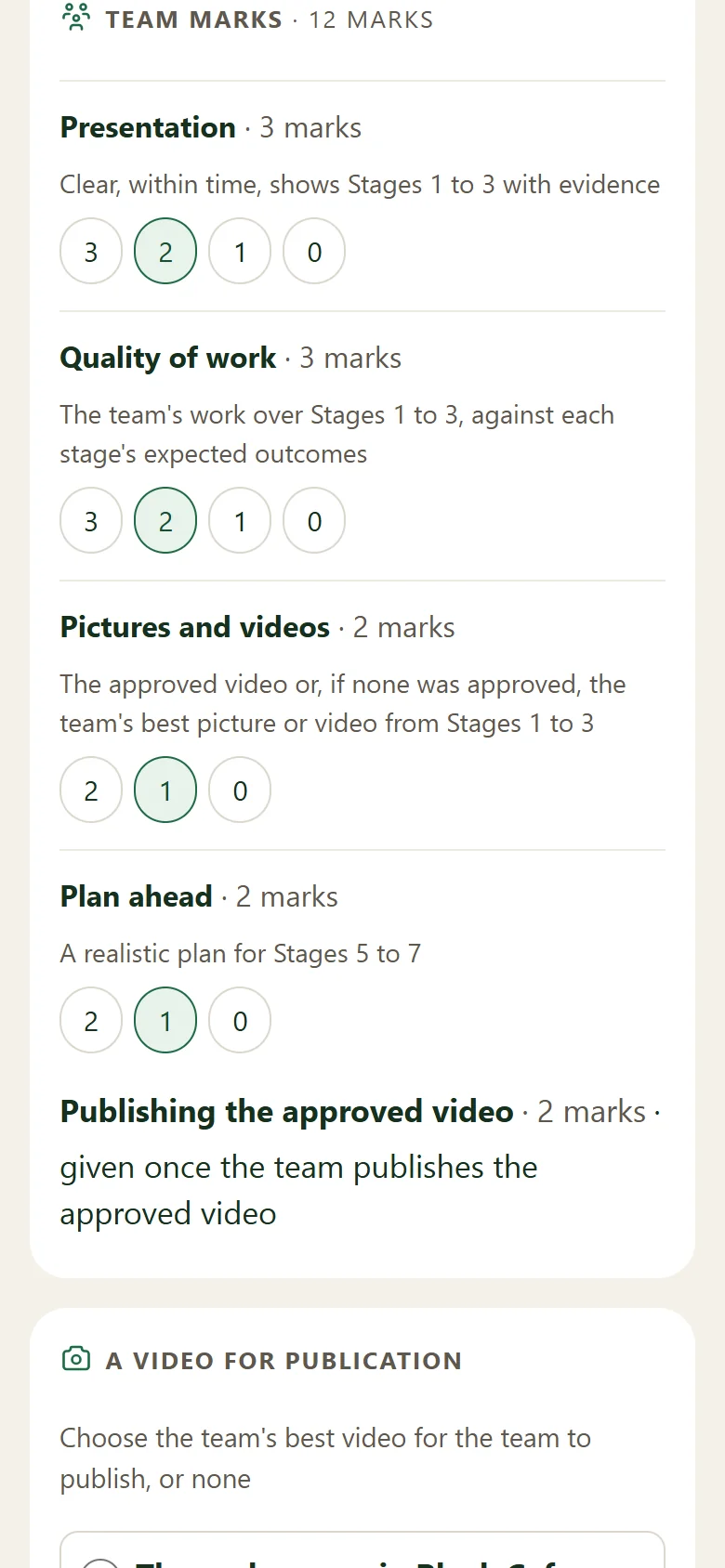
Team marks
Four parts at a review: the presentation, the quality of work, and pictures and videos, with the plan ahead at the Progress Review and the visible change at the Final Review.
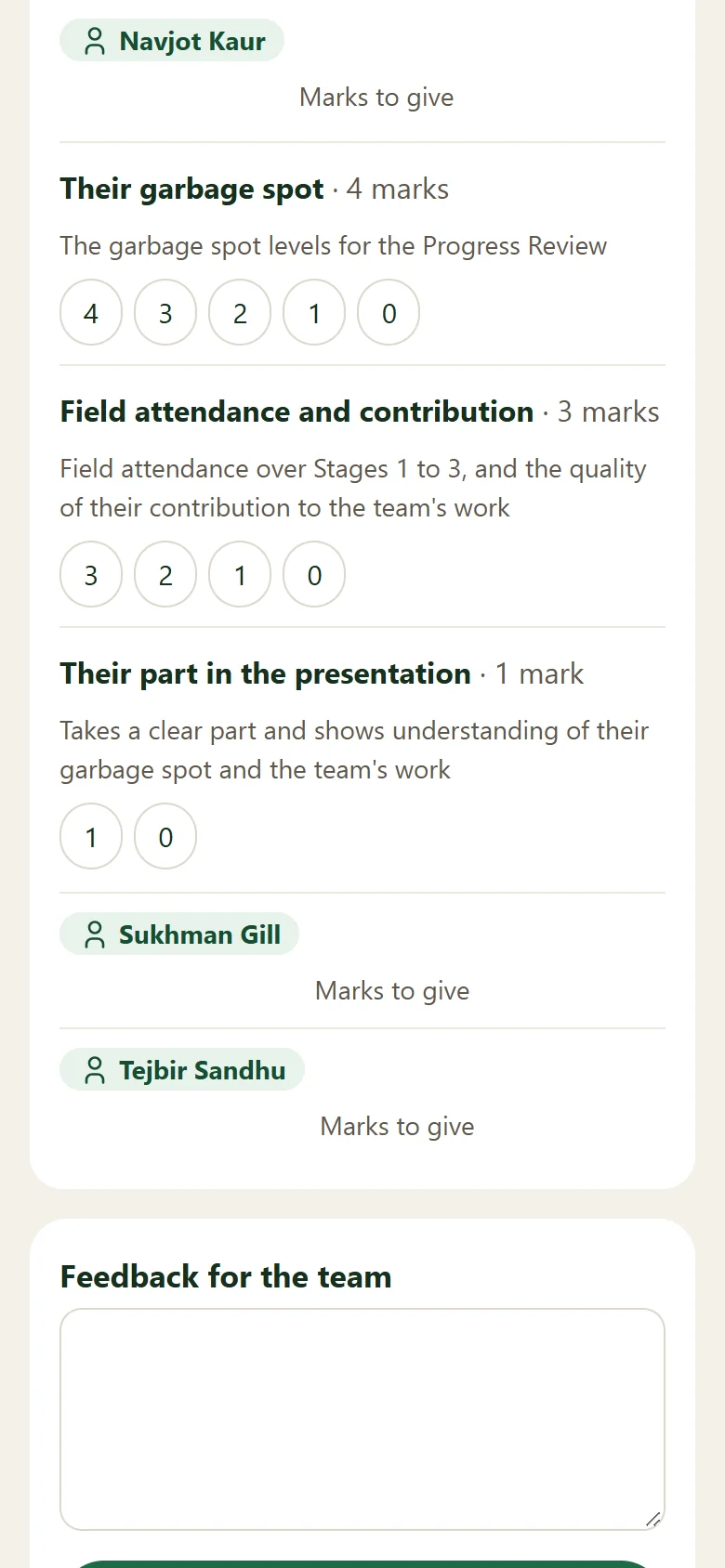
Each student
Each student's garbage spot, their field attendance and contribution, and their part in the presentation.
In person
The reviews are best held in person, with each member presenting a part.
In this topic (scroll down for more topics)
: topics
Back to the portal Back to the guide Home: choose another section
Link copied. Paste it into a message.