Home Add a link
Add a link
Tap the highlighted part of the screen.
Pictures, videos and documents
Best seen on a phoneThe team's pictures and videos are uploaded to Google Drive. Add a link adds one of them, or a document the stage asks for, to the stage's work. The form first asks which it is. Here, Balwinder adds a picture, then a document.
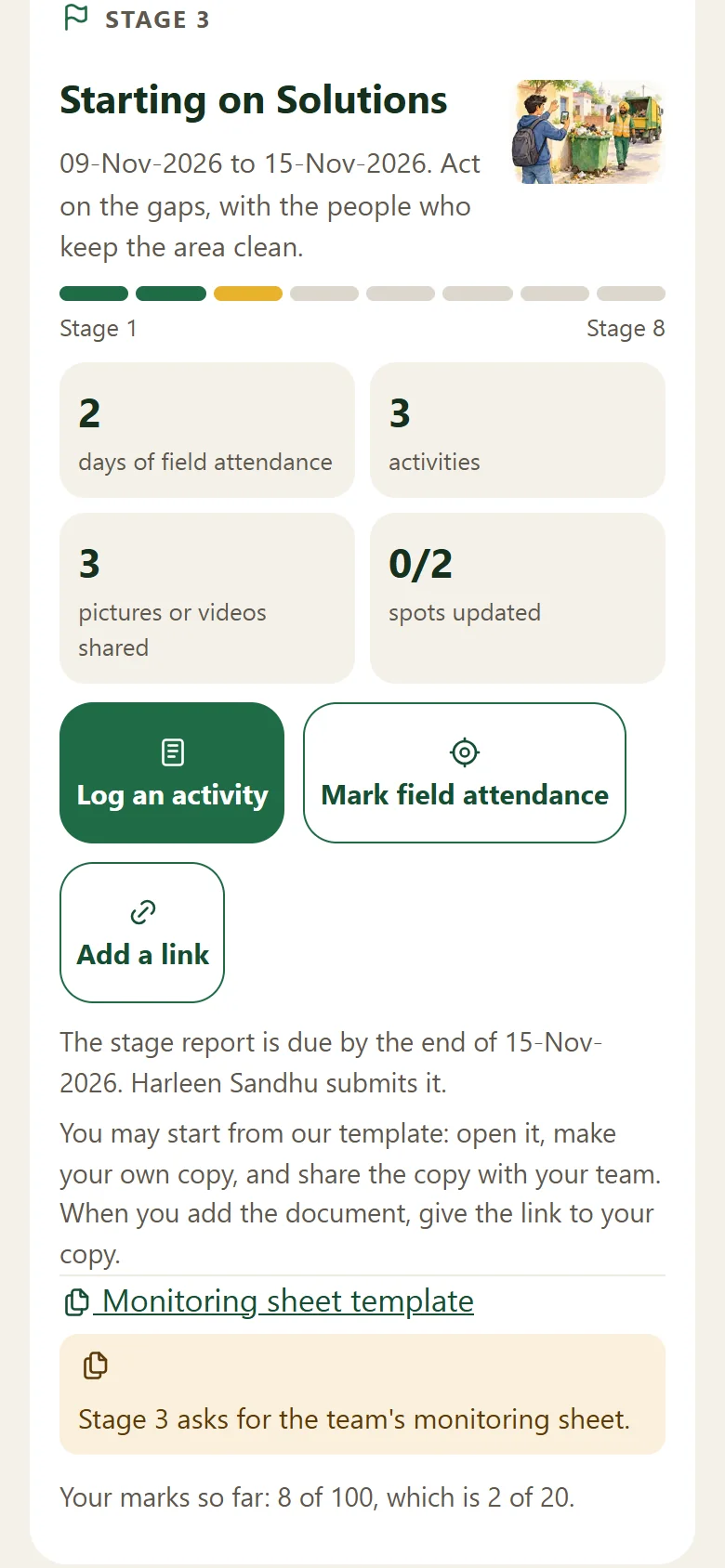
My page
The stage card has Add a link beside the other buttons.
Tap Add a link.
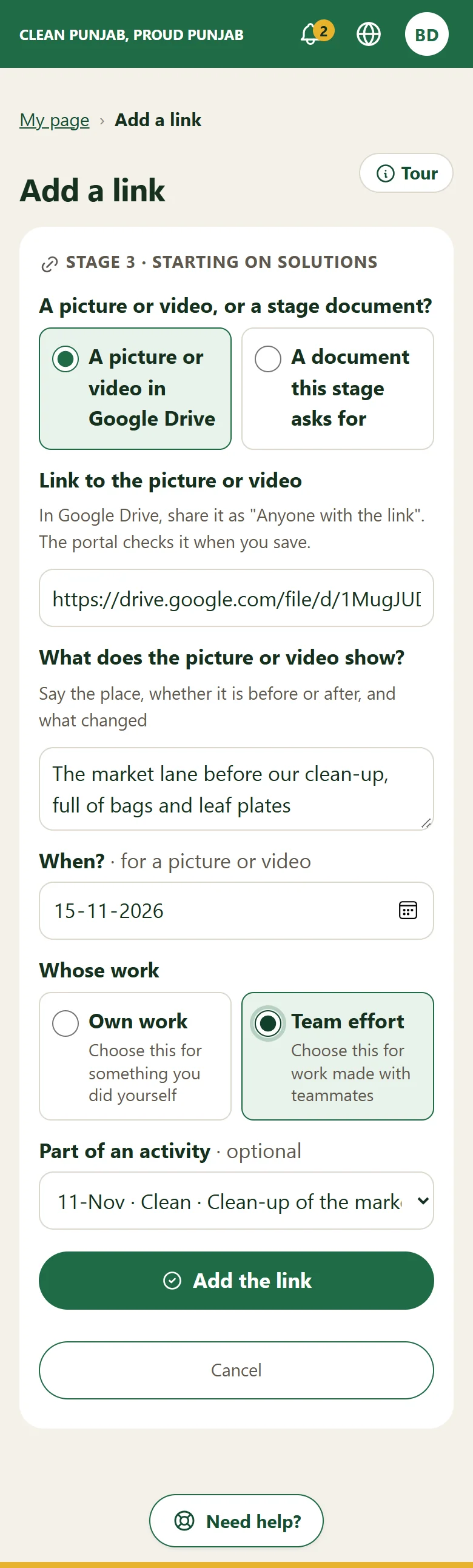
Add a link
Balwinder chooses A picture or video in Google Drive, pastes its link, writes what it shows, and links it to the team's clean-up of the market lane.
Tap Add the link.
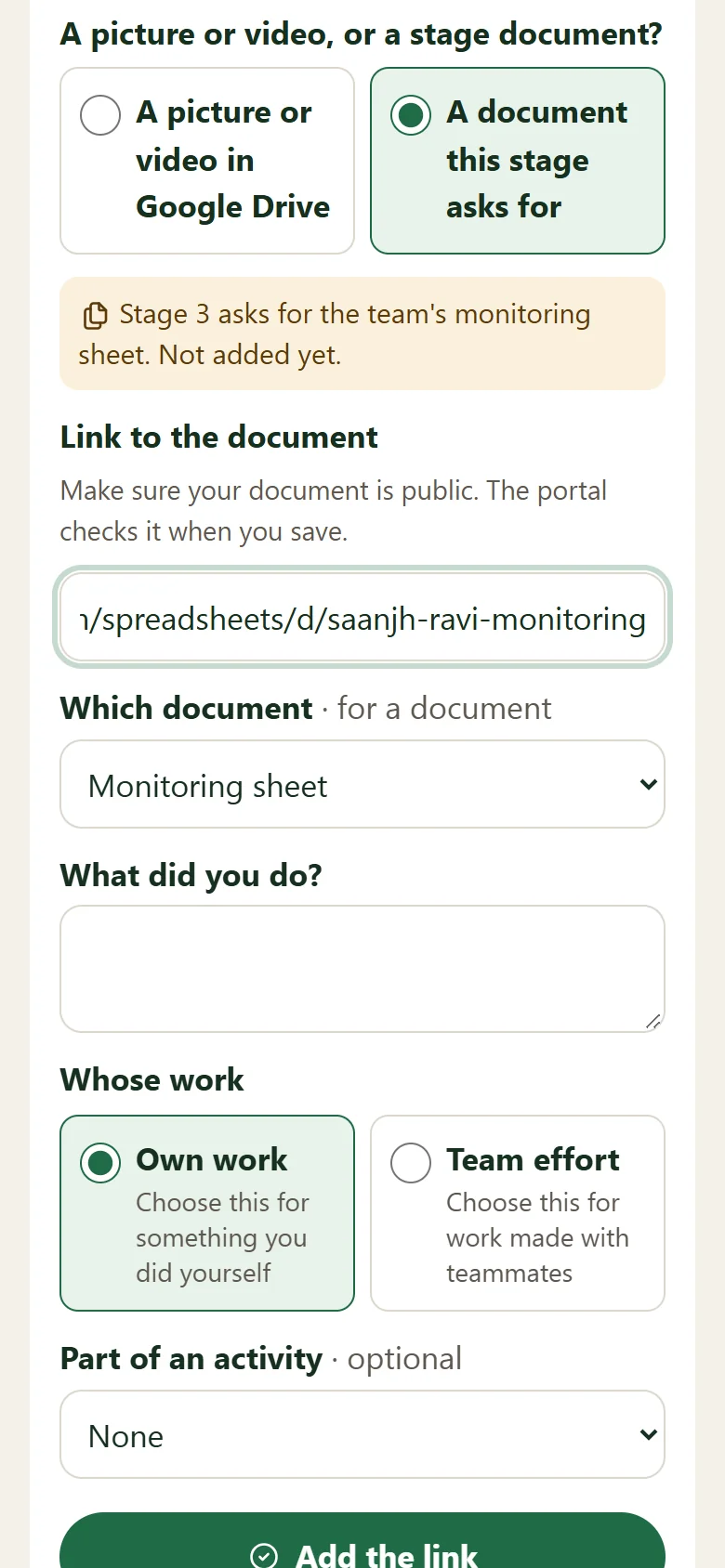
A document
Some stages ask for a document, such as a monitoring sheet. Balwinder chooses A document this stage asks for, pastes the link to the team's own copy, and chooses which document it is.
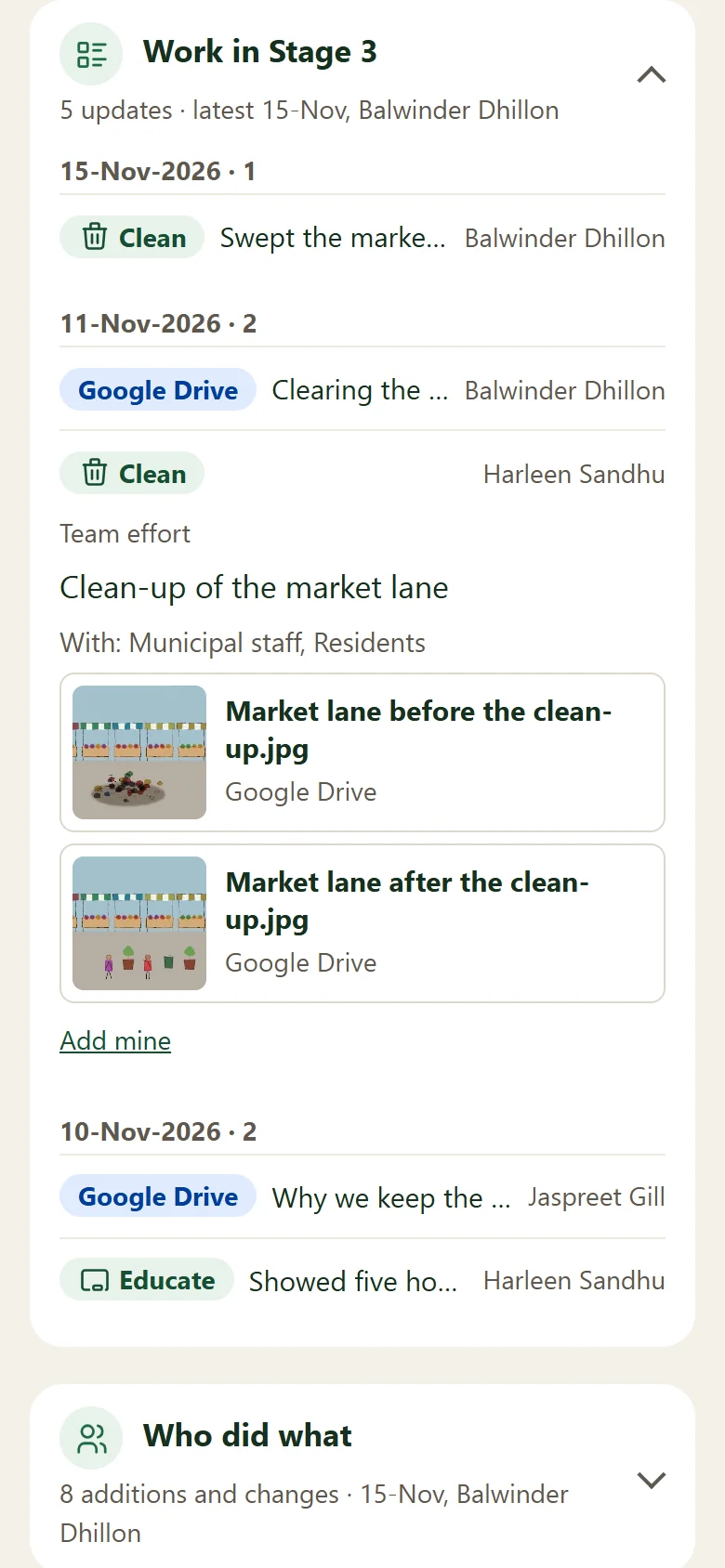
In the stage's work
Under Work in Stage 3, the picture now appears inside the clean-up of the market lane.
Shared with anyone with the link
Share each picture or video in Google Drive as "Anyone with the link", so your supervisor can open it. If a file is private, the portal says so: change its sharing, then add it again. If the portal cannot check it, you tick that it is shared that way.
In this topic (scroll down for more topics)
- 1Pictures, videos and documents
- 2My page
- 3Add a link
- 4A document
- 5In the stage's work
- 6Shared with anyone with the link
: topics
Back to the portal Back to the guide Home: choose another section
Link copied. Paste it into a message.