Home My teams' stages
My teams' stages
Tap the highlighted part of the screen.
Your teams' stages
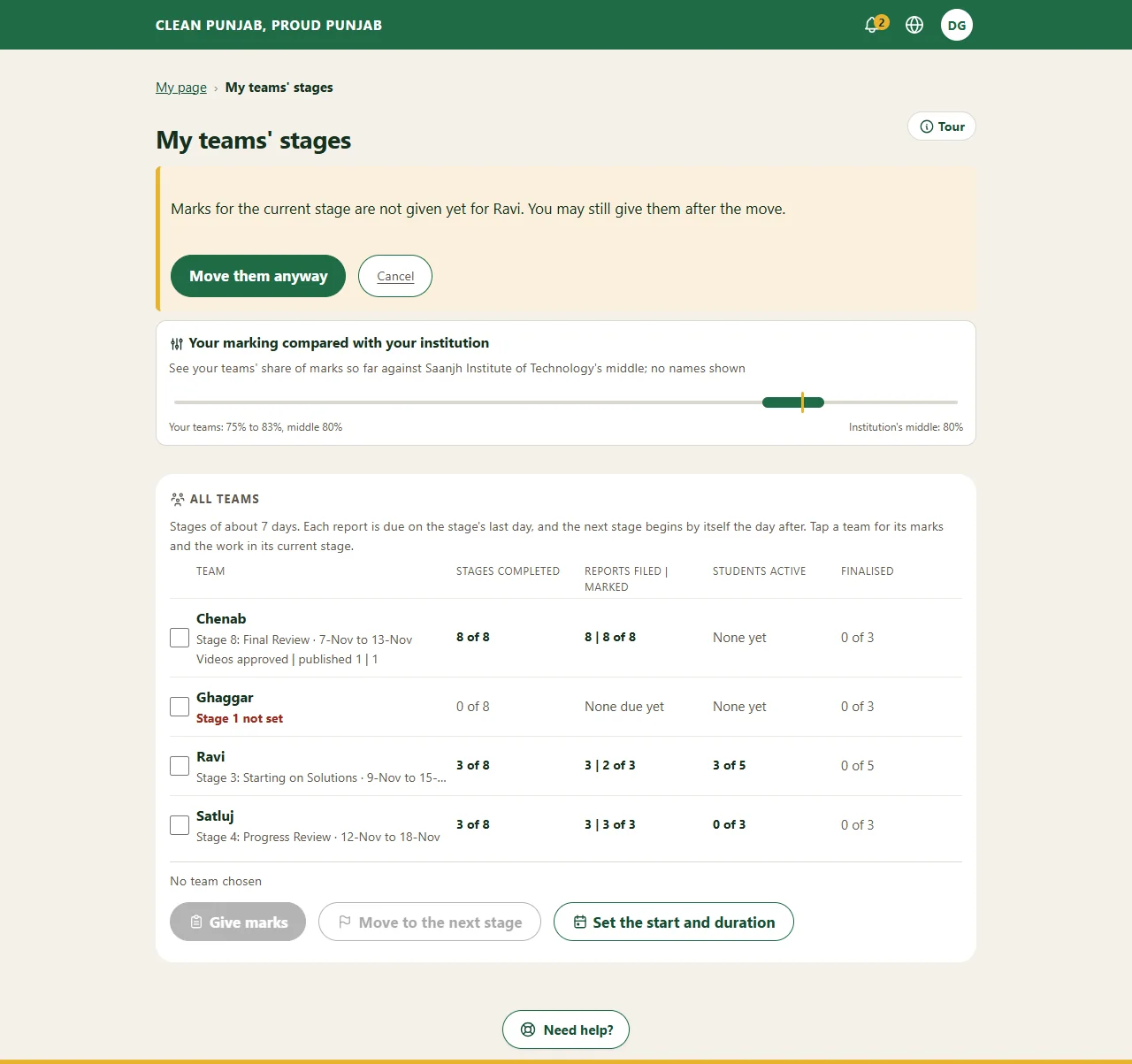
Best seen on a laptopEach team moves through eight stages of about a week. My teams' stages shows where each team is, what is waiting for your marks, and lets you set the dates. Here, Supervisor Daljit looks at Ravi, Satluj and Chenab, and Ghaggar, still to start.
My page
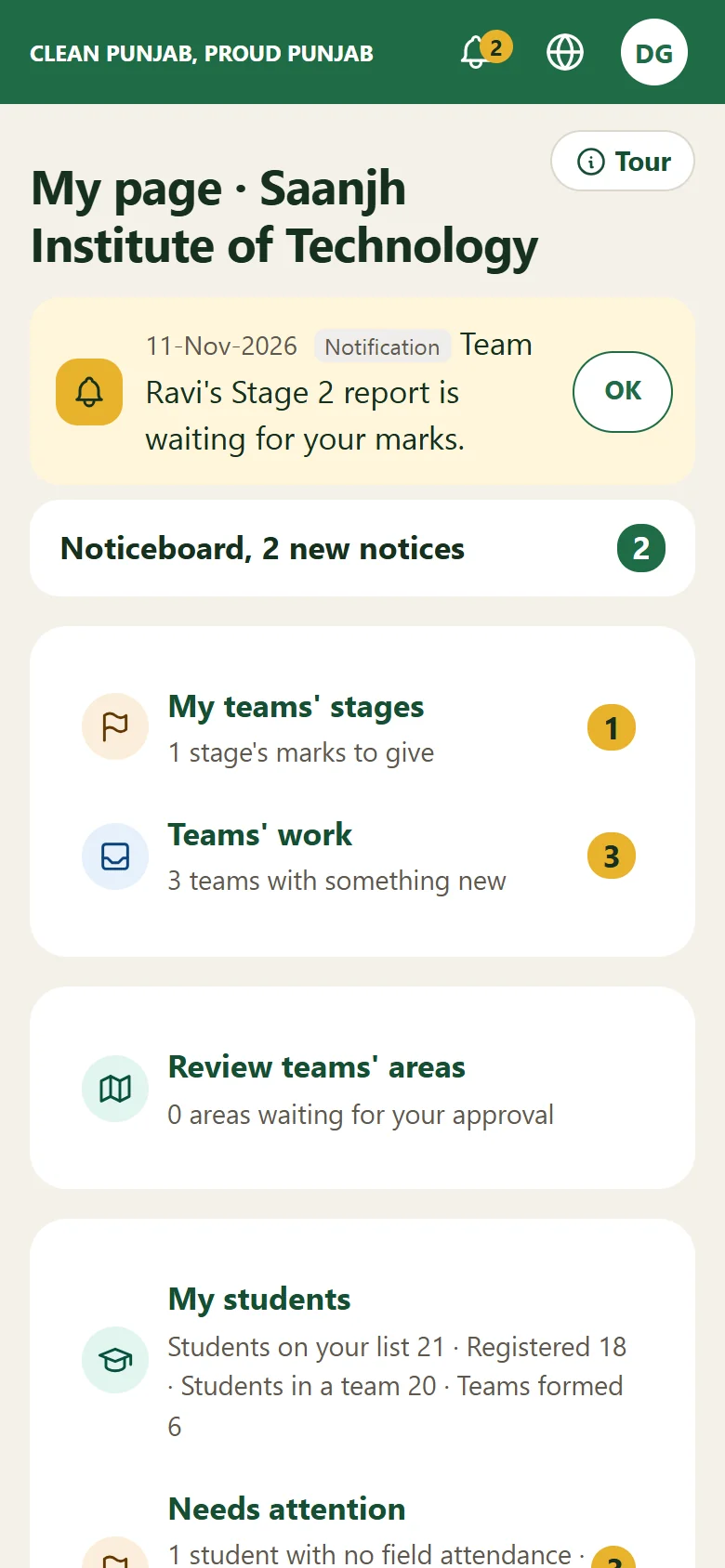
Once teams are working, My teams' stages and Teams' work come first.
Tap My teams' stages.
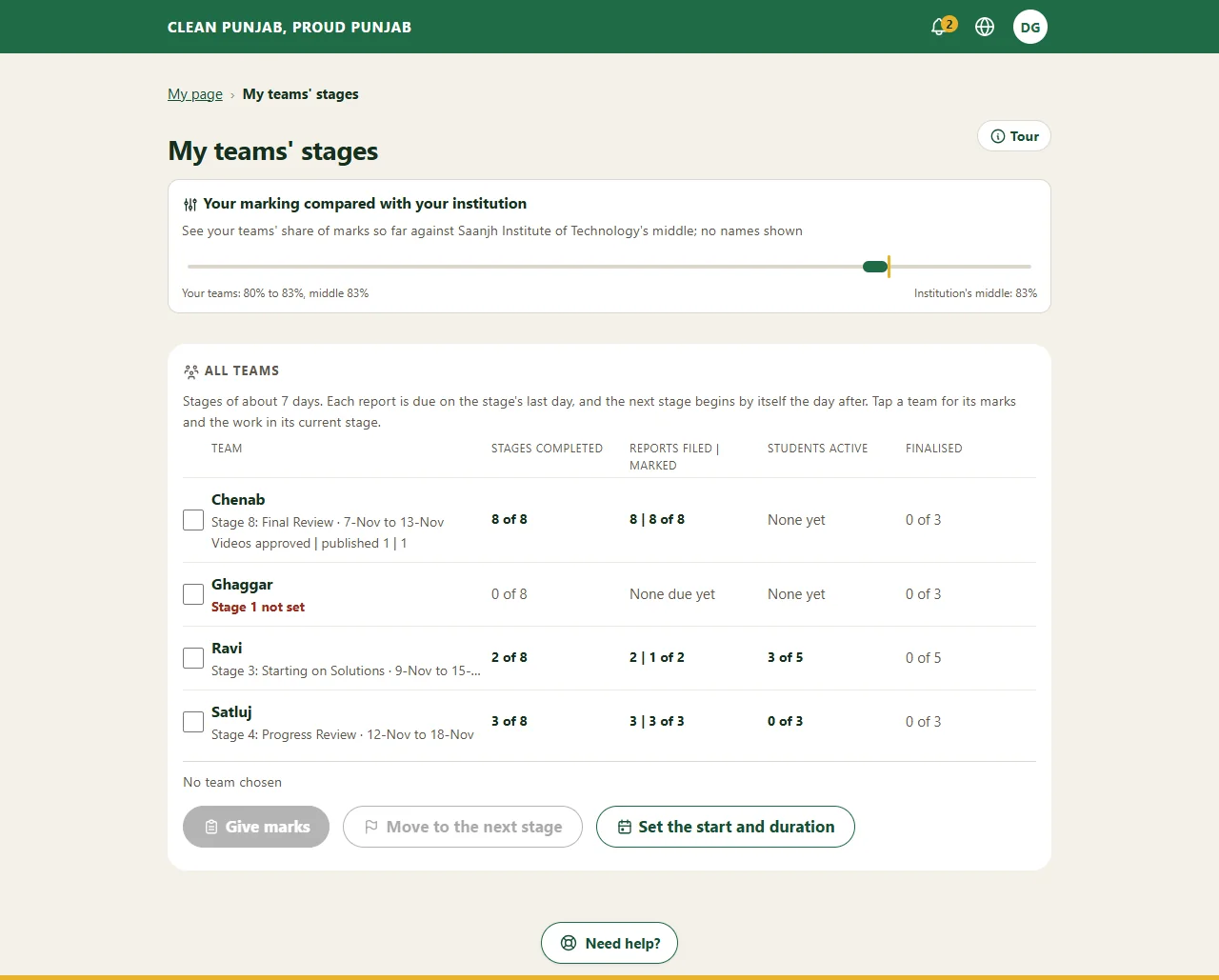
Four figures
Each team shows its stages completed, its reports filed and marked, its students active in this stage, and how many students are finalised.
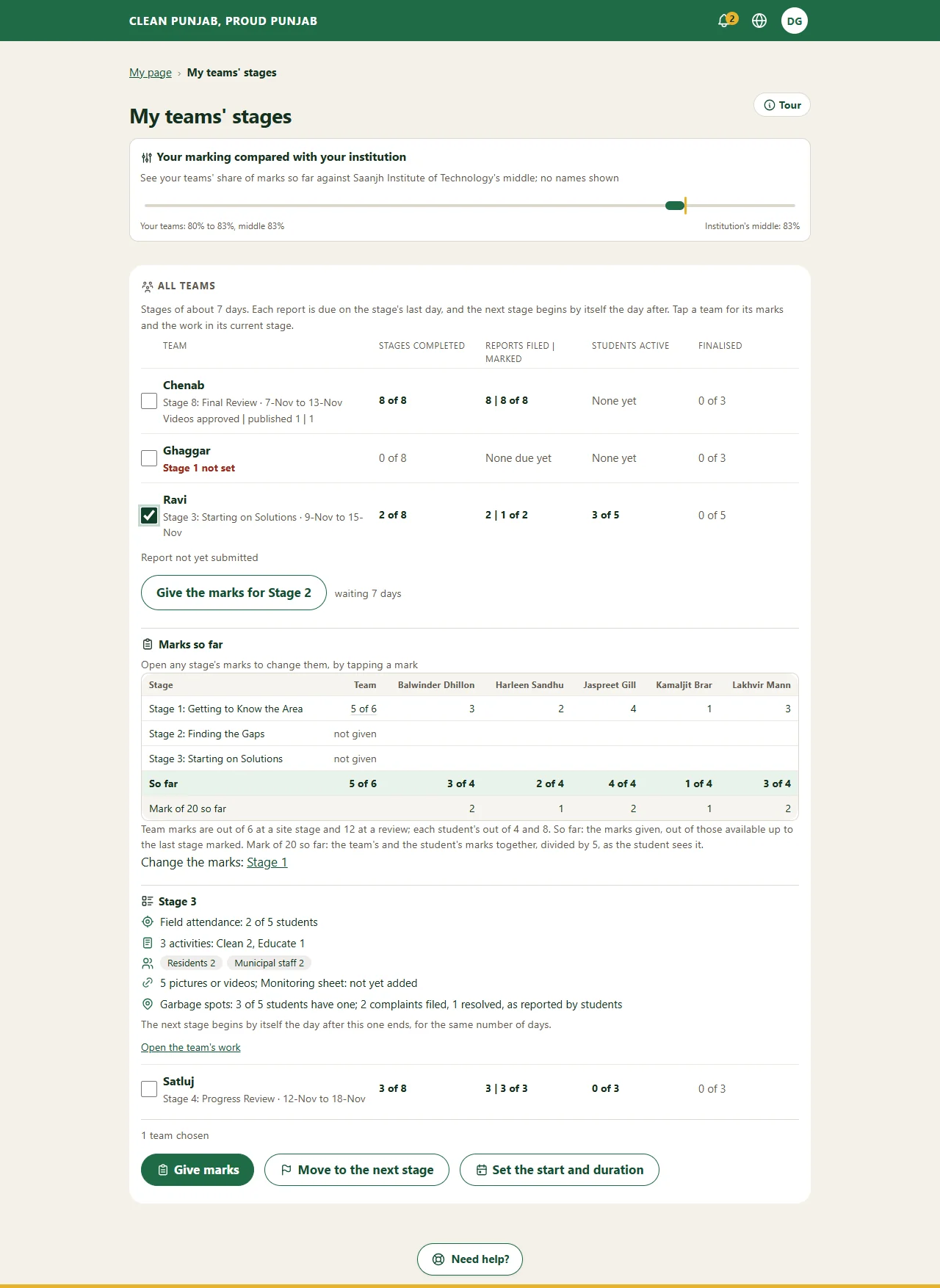
A team opened
Ravi's row opens to its Stage 2 marks waiting, the marks so far, and this stage's facts: field attendance, activities, pictures and videos, and garbage spots. The row also counts the team's videos approved and published.
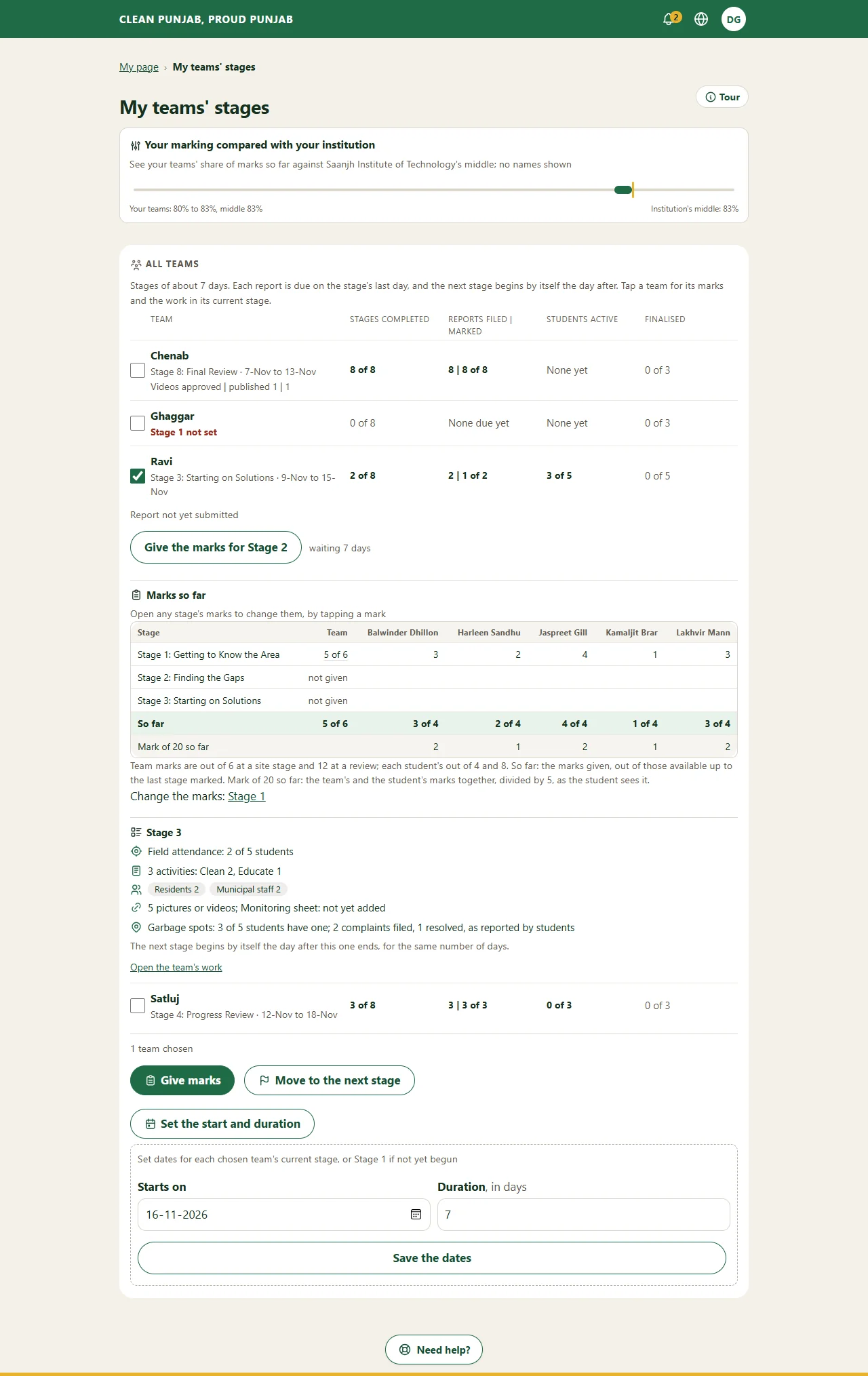
The dates
Daljit may set a stage's start and length for the ticked teams.
Tap Save the dates.
Moving to the next stage early
Daljit may move Ravi to the next stage early. Stage 3's marks are not given yet, so the portal asks first; they can still be given after the move.
Tap Move them anyway.
By itself
Otherwise, each stage begins by itself the day after the one before ends.
In this topic (scroll down for more topics)
- 1Your teams' stages
- 2My page
- 3Four figures
- 4A team opened
- 5The dates
- 6Moving to the next stage early
- 7By itself
: topics
Back to the portal Back to the guide Home: choose another section
Link copied. Paste it into a message.