Home Clear the waiting lists
Clear the waiting lists
Tap the highlighted part of the screen.
Who is waiting
Best seen on a phoneSometimes a student registers before being put on any list. Such a student waits until the nodal officer, or a faculty supervisor, adds them to a list. Here, Student Gagandeep has registered with a roll number that is on no list.
One student waiting
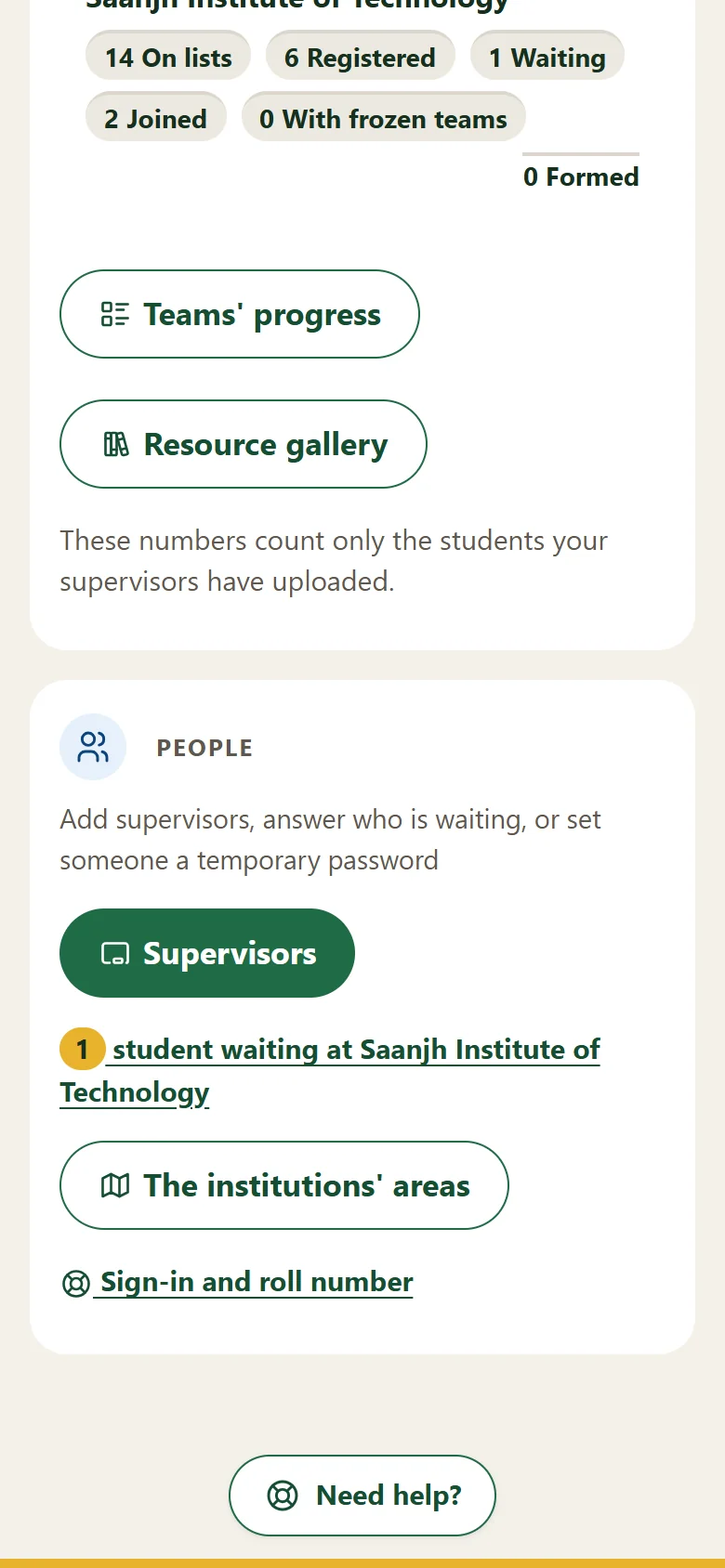
Under People, Navneet's page shows one student waiting at the institution.
Tap 1 student waiting at Saanjh Institute of Technology.
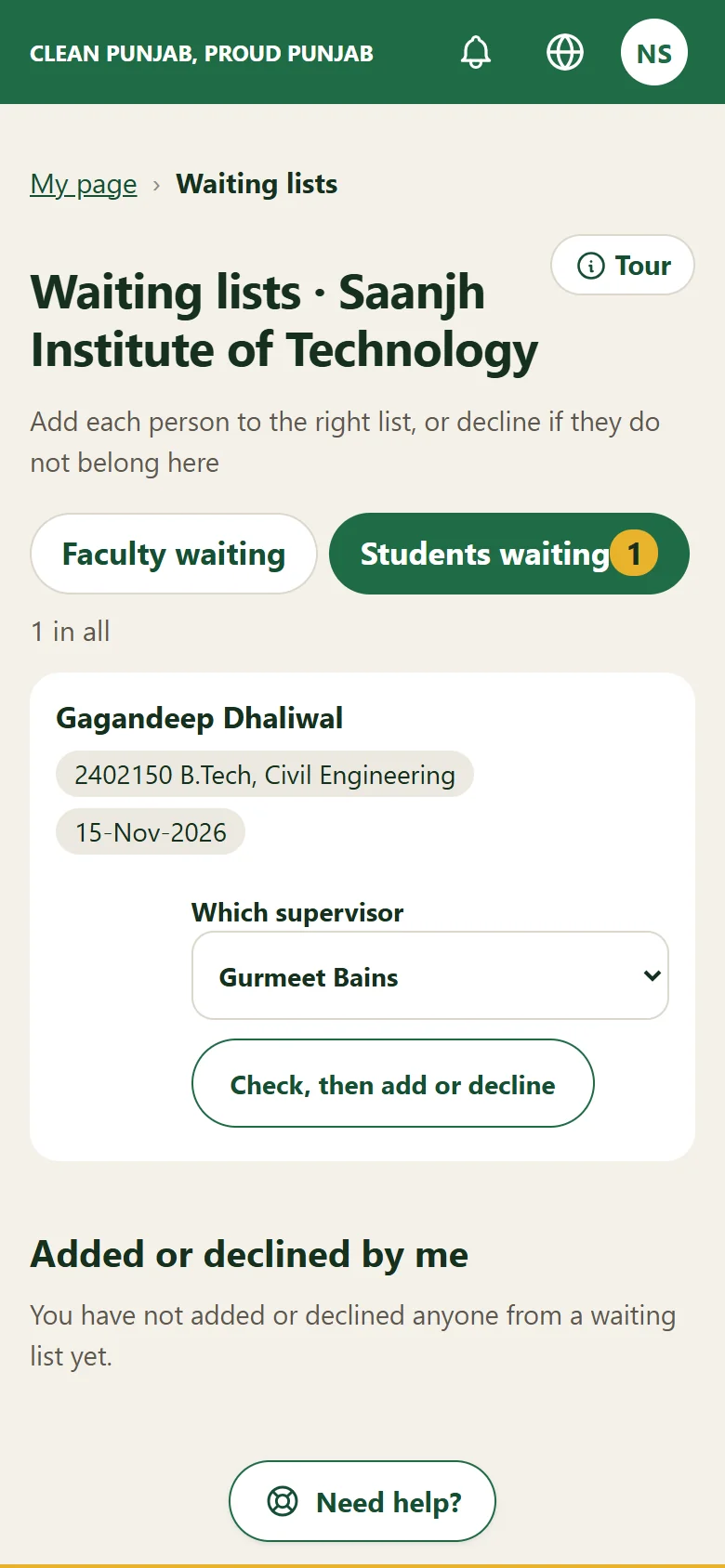
Students waiting
Navneet knows that Gagandeep belongs with Supervisor Gurmeet, chooses Gurmeet, and presses Check, then add or decline. Navneet reads the sentence, ticks the box and confirms. Someone who does not belong at the institution can be declined on the same step.
Tap Check, then add or decline.
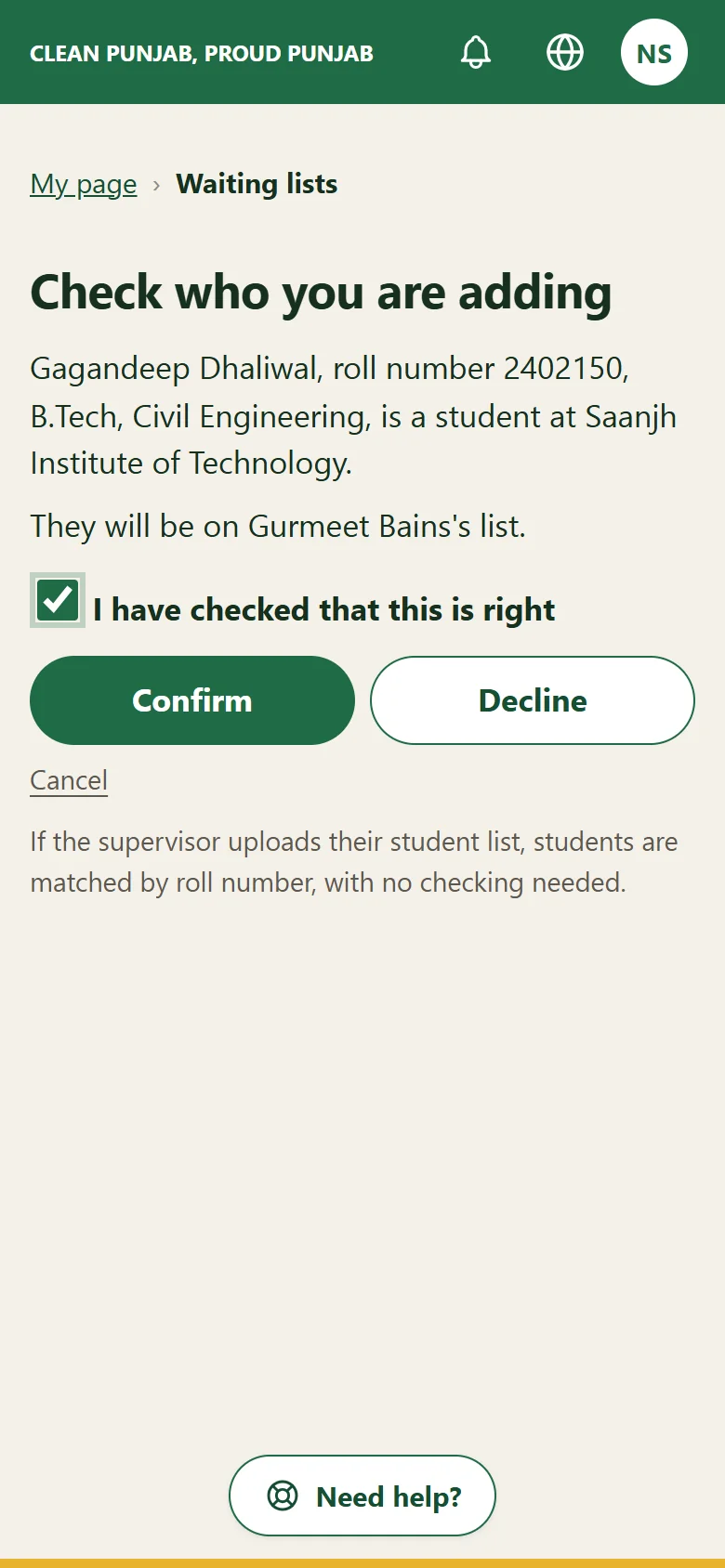
Check who you are adding
The page says who Gagandeep is: name, roll number, course and institution, and that Gagandeep will be on Gurmeet's list. Navneet checks it, ticks the box and presses Confirm. Decline is here too, for someone who does not belong.
Tap Confirm.
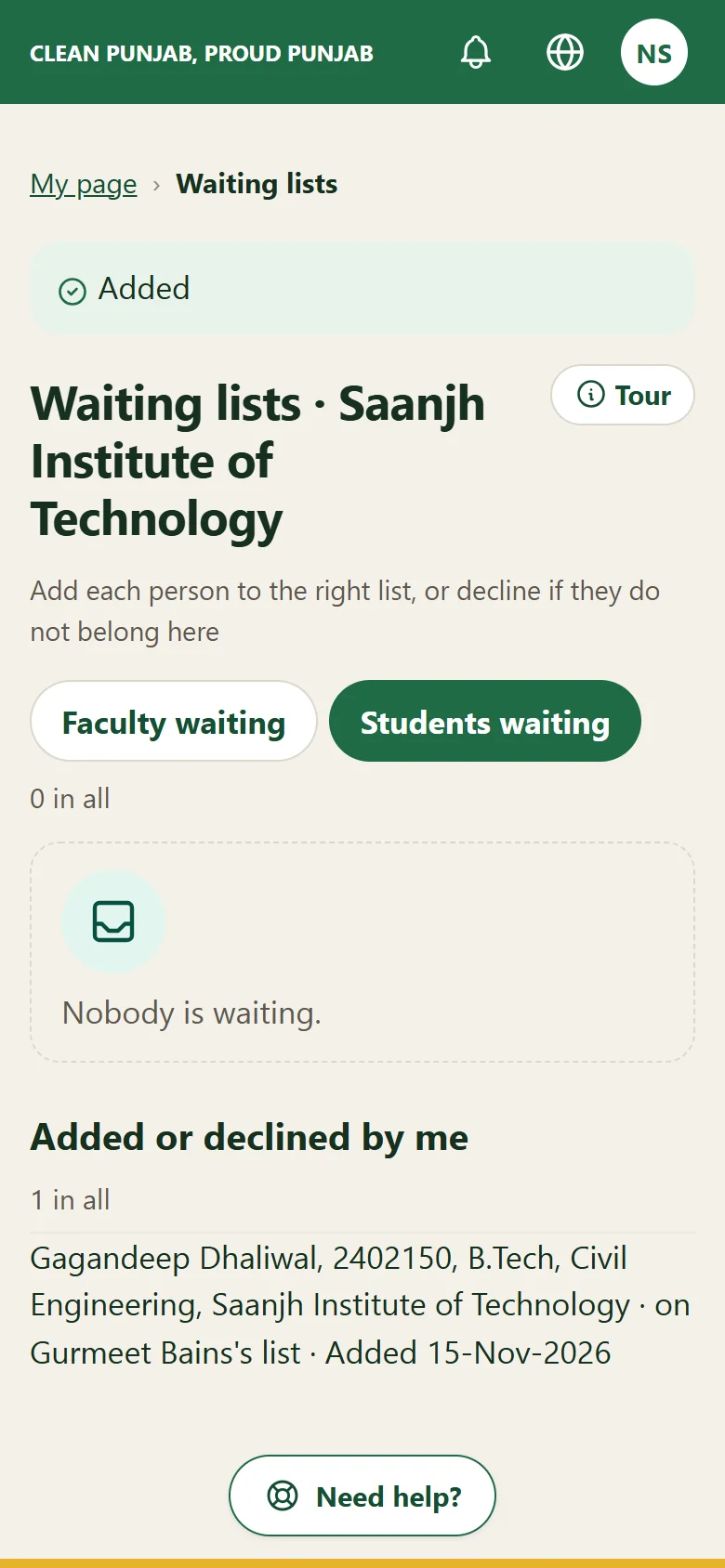
Gagandeep is on a list
Gagandeep is now one of Gurmeet's students, and will be connected at the next sign-in.
Check and confirm
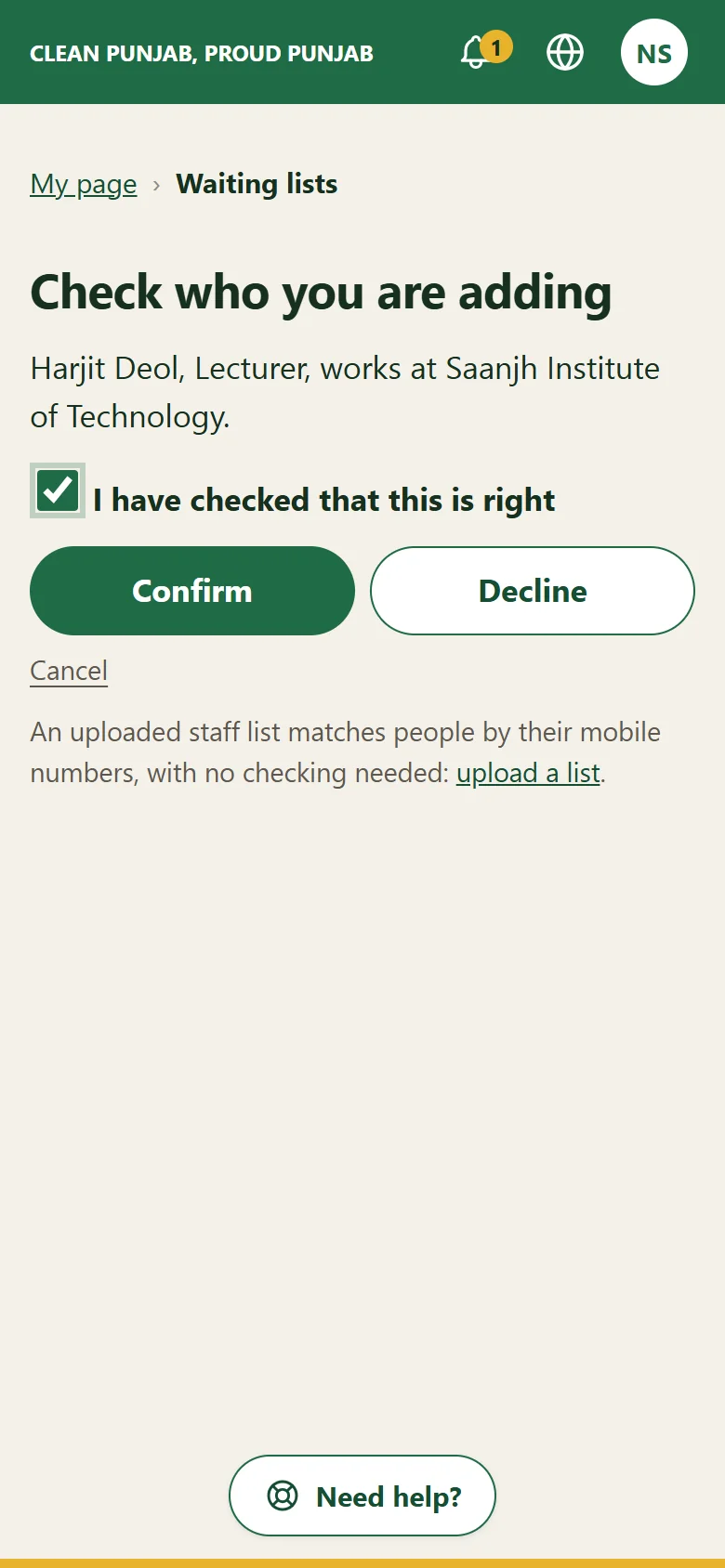
Under Faculty waiting, Navneet reads Harjit's name, the designation Harjit gave, and the institution. Navneet knows Harjit teaches at Saanjh, so ticks the box and confirms.
Tap Confirm.
Added or declined by me
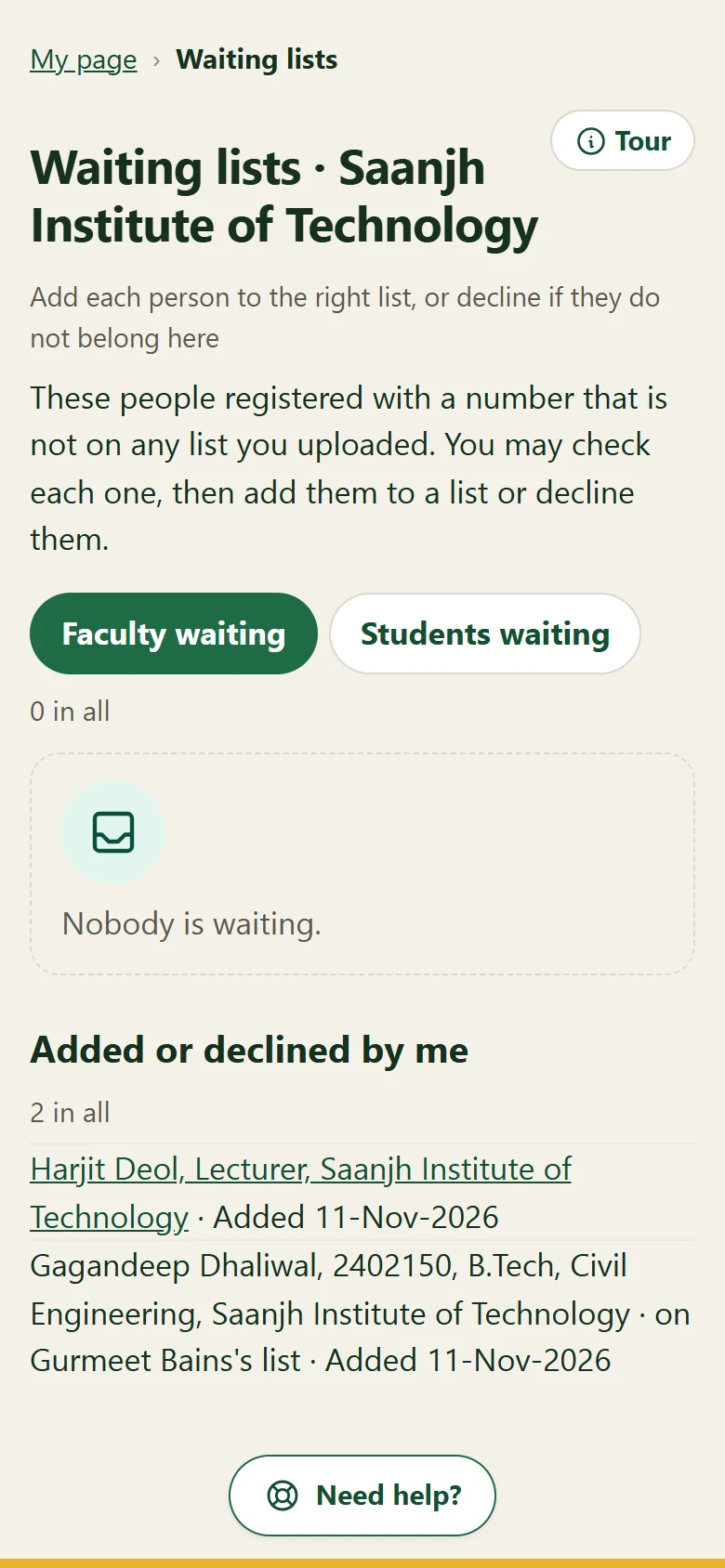
Below the lists, Added or declined by me shows whom Navneet added or declined, with the date. If a faculty member was added by mistake, opening their name leads to Remove.
Supervisors help too
Faculty supervisors also add students from their own Students waiting, so Navneet does not need to add every student on this list.
In this topic (scroll down for more topics)
- 1Who is waiting
- 2One student waiting
- 3Students waiting
- 4Check who you are adding
- 5Gagandeep is on a list
- 6Check and confirm
- 7Added or declined by me
- 8Supervisors help too
: topics
Back to the portal Back to the guide Home: choose another section
Link copied. Paste it into a message.