Home Join a team
Join a team
Tap the highlighted part of the screen.
Joining a team
Best seen on a phoneMost students join a team that someone else has created. You can put your name on Students looking for a team, so leaders who need members can find you and invite you. You can also look at Teams that have room, and ask a leader for an invitation. Either way, the leader invites you, and you accept. It helps to form a team with students you work well with. Here, Student Ekamjot joins team Jhelum.
No team yet
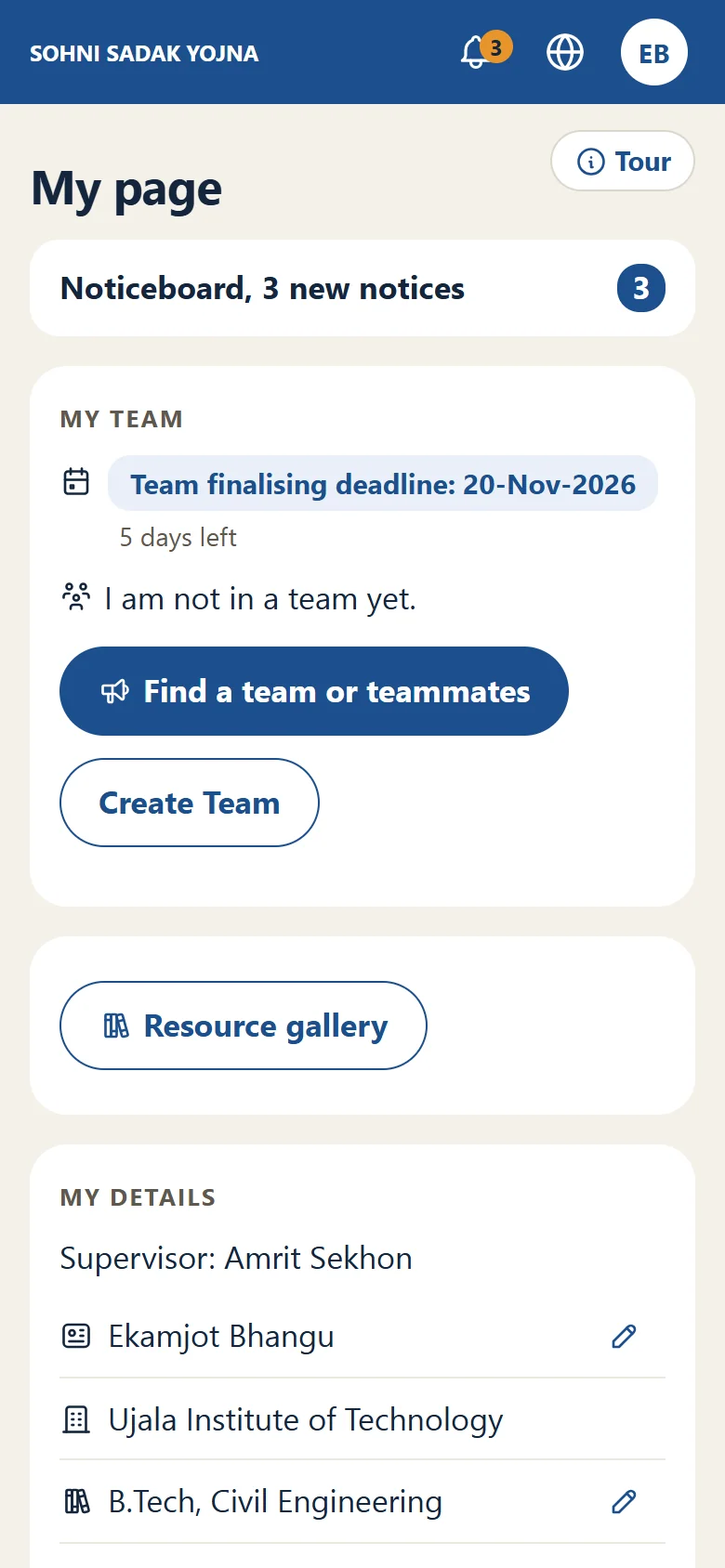
Ekamjot is not in a team yet.
Tap Find a team or teammates.
Let leaders find you
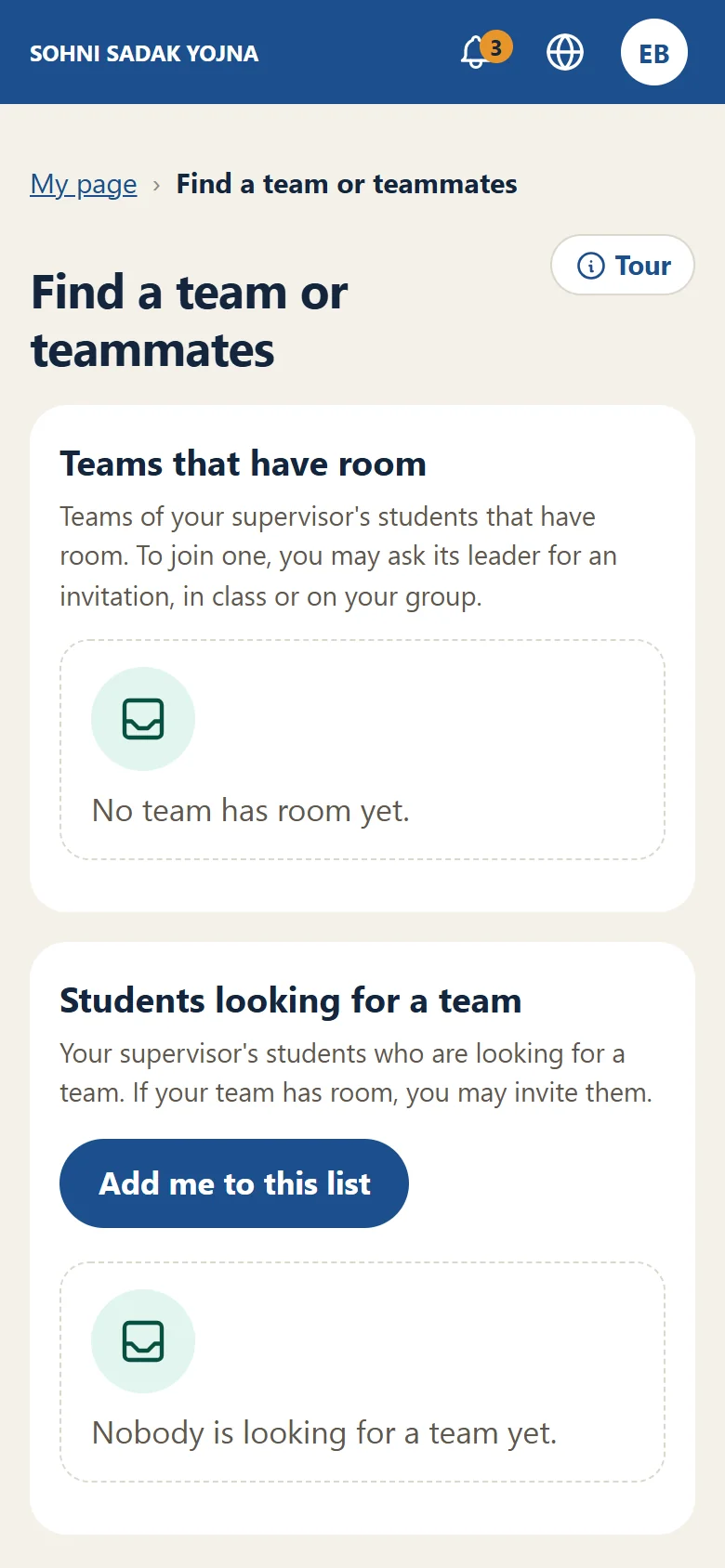
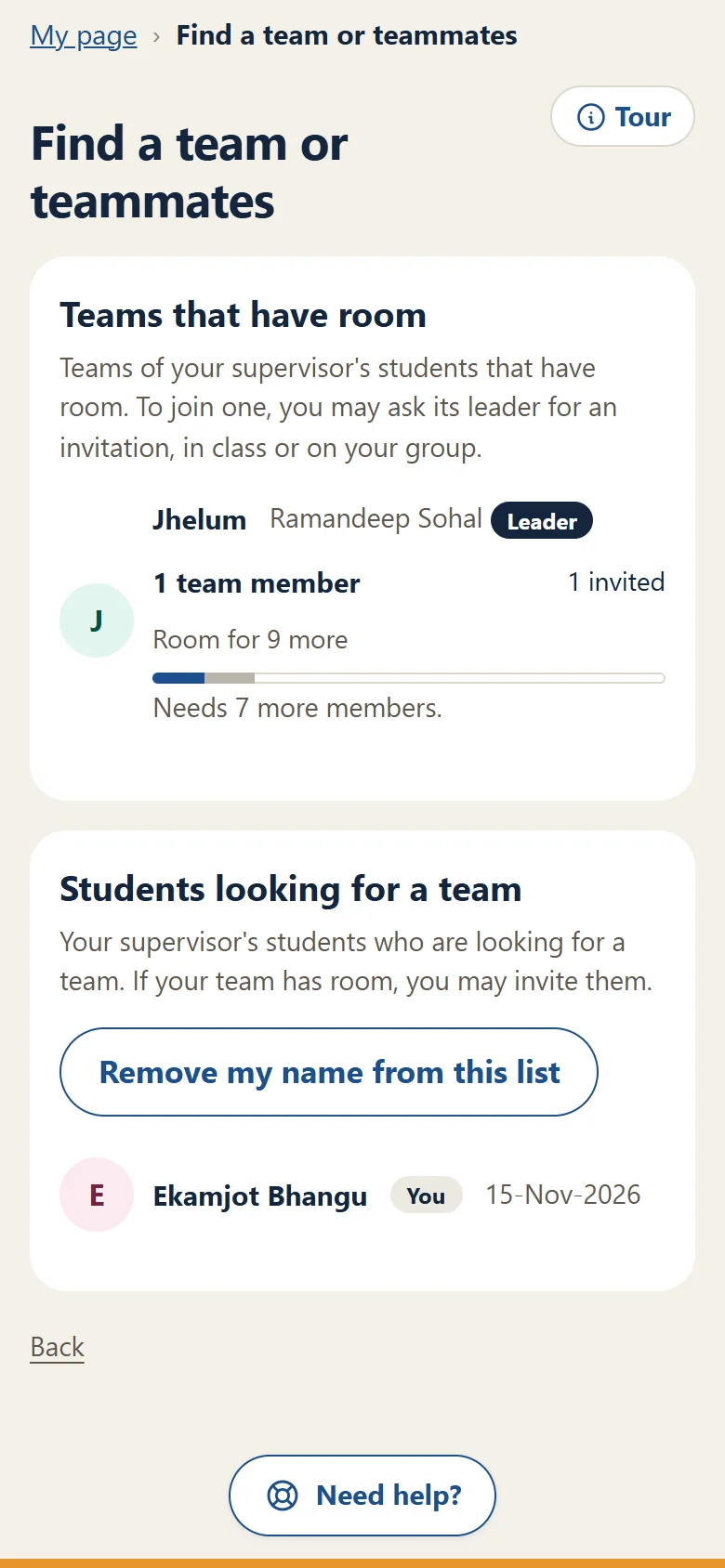
The page has two lists: teams that have room, and students looking for a team. With a name on Students looking for a team, leaders can find Ekamjot.
Tap Add me to this list.
Who will see your name
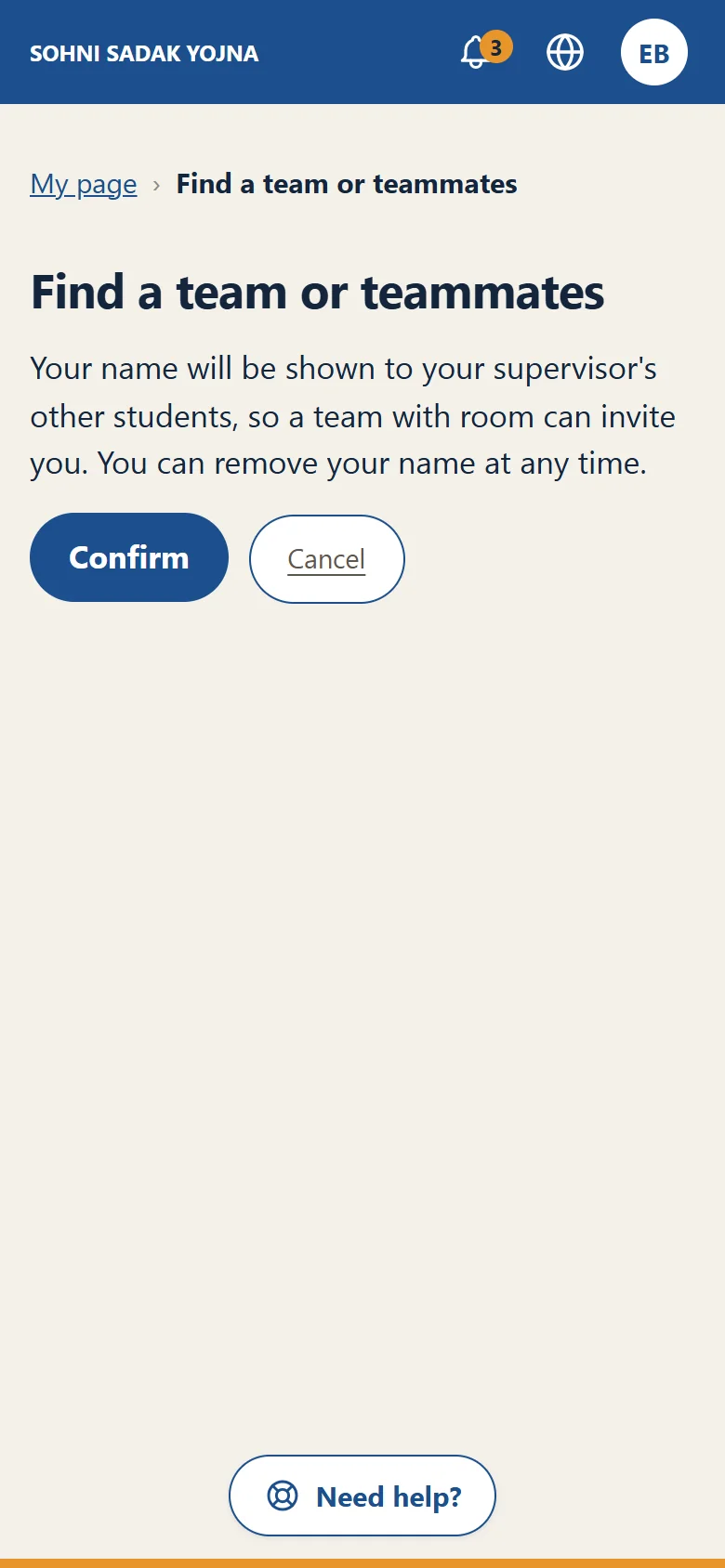
Before anything is posted, the portal says that Supervisor Amrit's other students will see Ekamjot's name.
Tap Confirm.
On the list
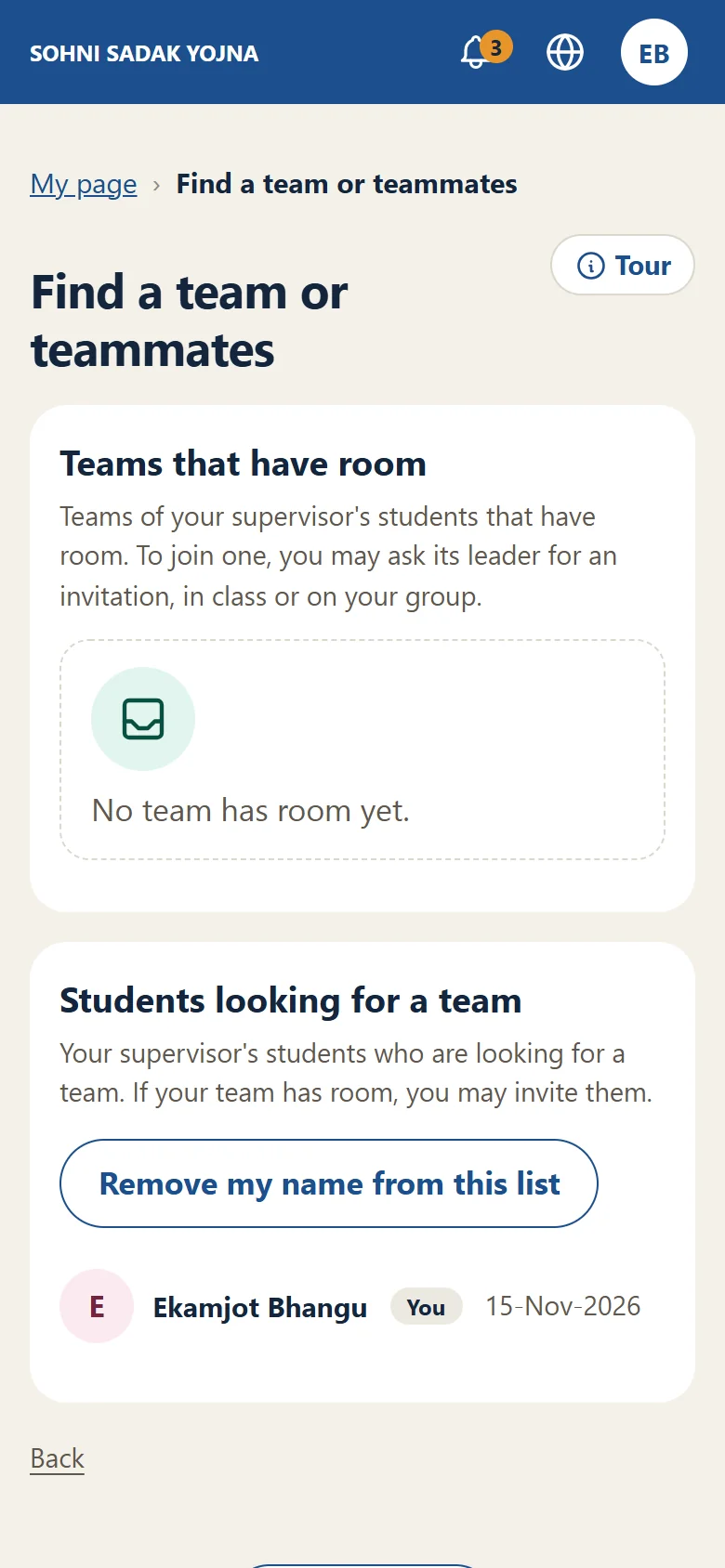
Ekamjot's name is now on the list. Ekamjot may remove it at any time with Remove my name from this list.
Teams that have room
Ekamjot also looks at Teams that have room. Jhelum has places left, so Ekamjot asks its leader, Ramandeep, for an invitation, in class or on the supervisor's WhatsApp group.
Ramandeep's turn
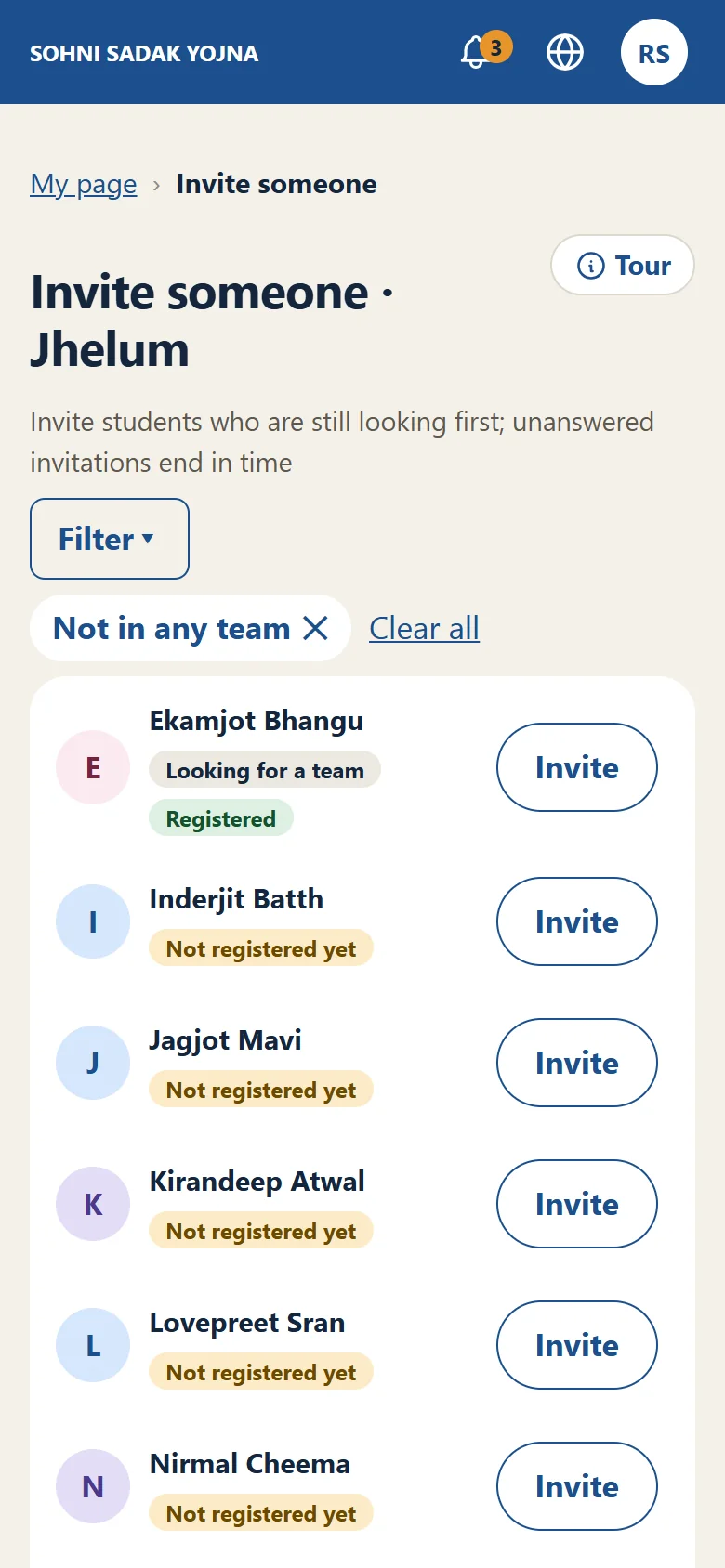
Invite Ekamjot
On Invite someone, Ekamjot is at the top, marked as looking for a team.
Tap Invite under Ekamjot's name.
Ekamjot's turn
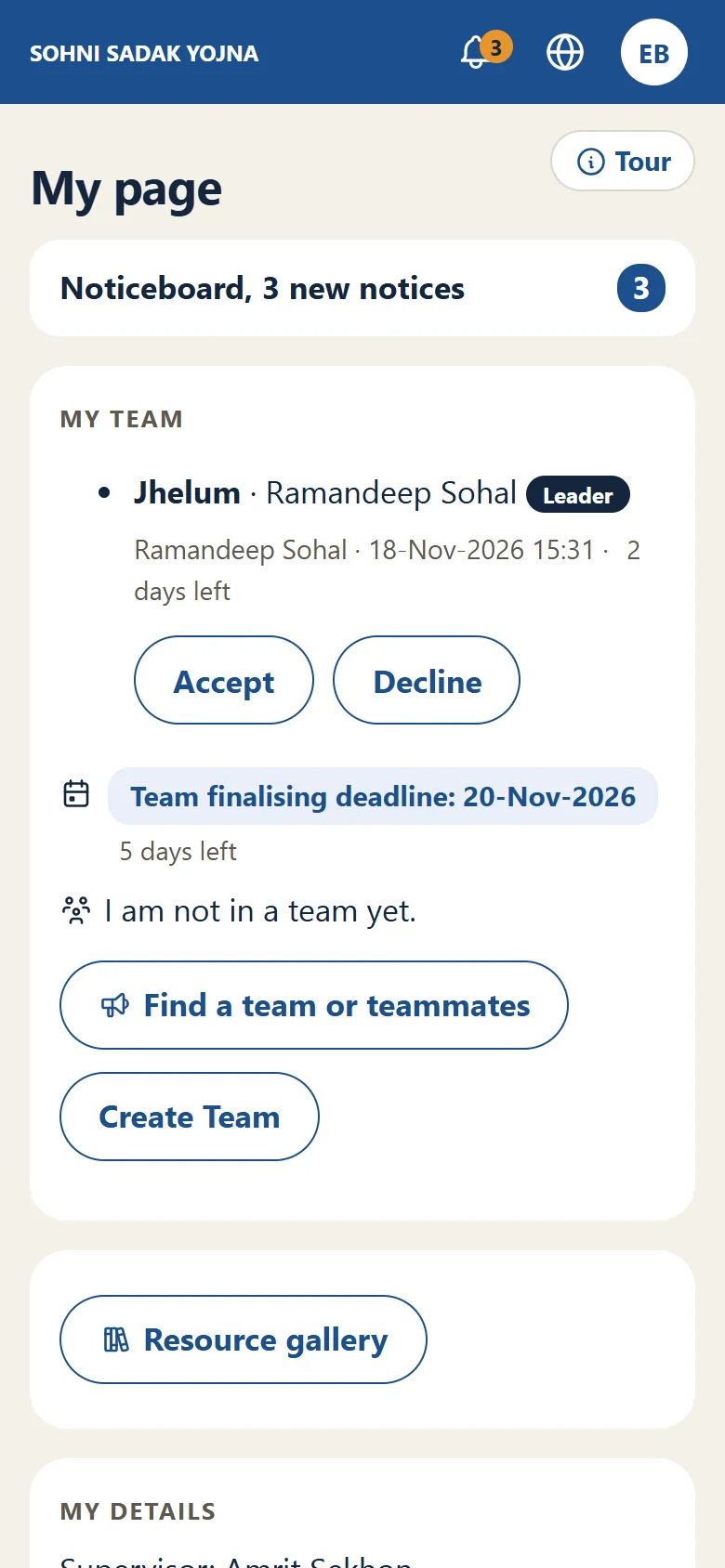
An invitation
Ekamjot's My page shows the invitation from Ramandeep. Ekamjot has already spoken with Ramandeep, so Ekamjot accepts.
Tap Accept.
In team Jhelum
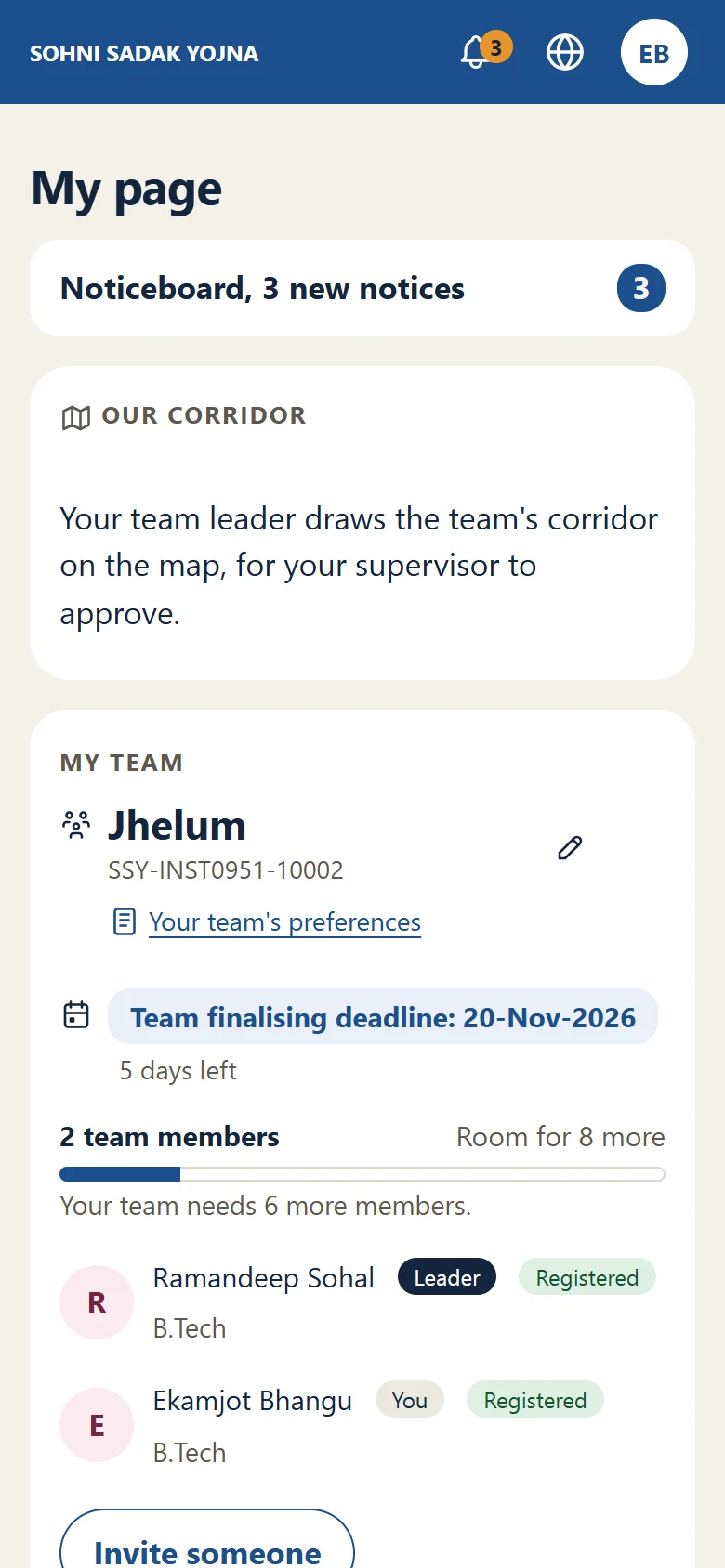
Ekamjot is now in team Jhelum, with Ramandeep.
In a team
That is the usual way to join a team. If no team has room for you, you may create one yourself: the next topic shows how.
In this topic (scroll down for more topics)
- 1Joining a team
- 2No team yet
- 3Let leaders find you
- 4Who will see your name
- 5On the list
- 6Teams that have room
- 7Ramandeep's turn
- 8Invite Ekamjot
- 9Ekamjot's turn
- 10An invitation
- 11In team Jhelum
- 12In a team
: topics
Back to the portal Back to the guide Home: choose another section
Link copied. Paste it into a message.