Home After the freeze
After the freeze
Tap the highlighted part of the screen.
Once the teams are frozen
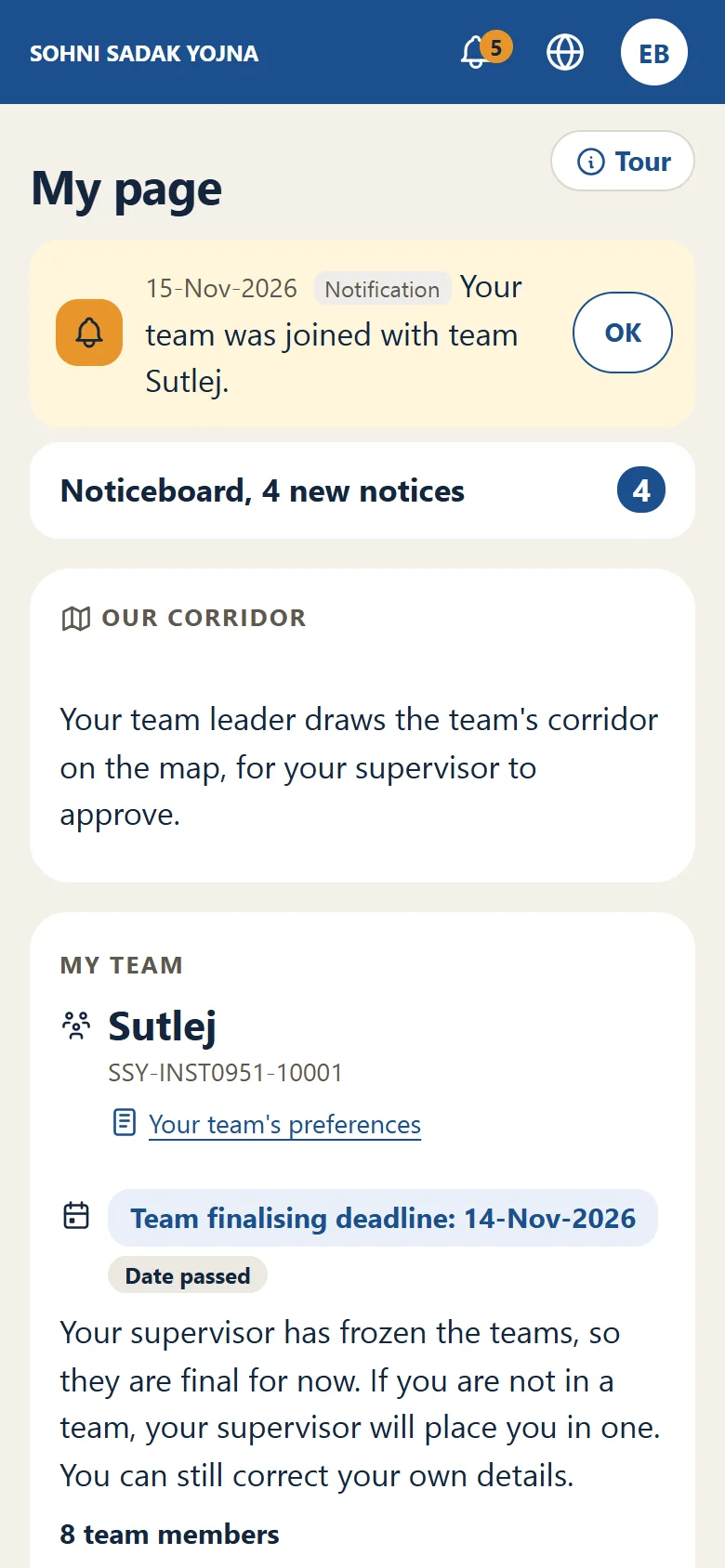
Best seen on a phoneOnce the teams are frozen, your team stays as it is, and only your supervisor can change it. If anything changes, a notification tells you. Here, Student Ekamjot's team has been joined with team Sutlej.
My page
A Notification on Ekamjot's My page says the team was joined with team Sutlej.
Frozen
Under My team, the portal says the supervisor has frozen the teams, so they are final for now. Supervisor Amrit has made Arshdeep the team's leader. The team's buttons are gone, but Ekamjot can still correct their own details.

The noticeboard
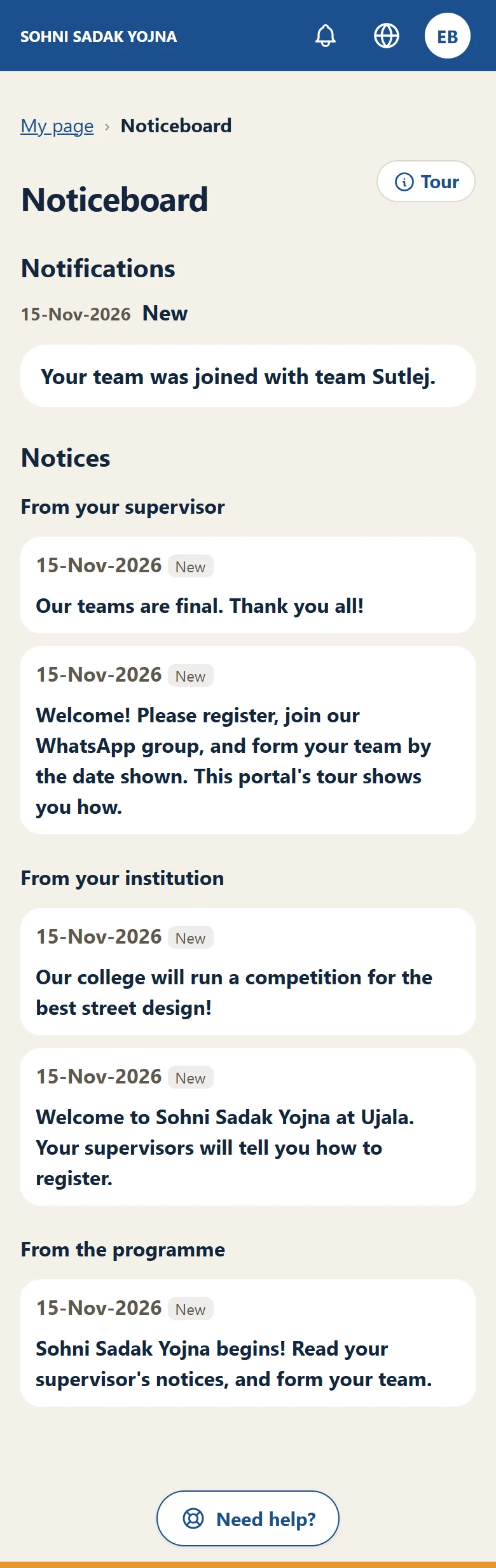
The notification can also be read on the Noticeboard.
Tap Noticeboard.
Notifications, then notices
The noticeboard shows Notifications first, then Notices from the supervisor, the institution and the programme. Here, the institution announces a competition for the best street design.
Your team is final
Your team is final, and works on one real road with your supervisor. If something about your team needs to change, you can ask your supervisor.
In this topic (scroll down for more topics)
- 1Once the teams are frozen
- 2My page
- 3Frozen
- 4The noticeboard
- 5Notifications, then notices
- 6Your team is final
: topics
Back to the portal Back to the guide Home: choose another section
Link copied. Paste it into a message.